01 / The client
About Pulse: daily insights and personal identity
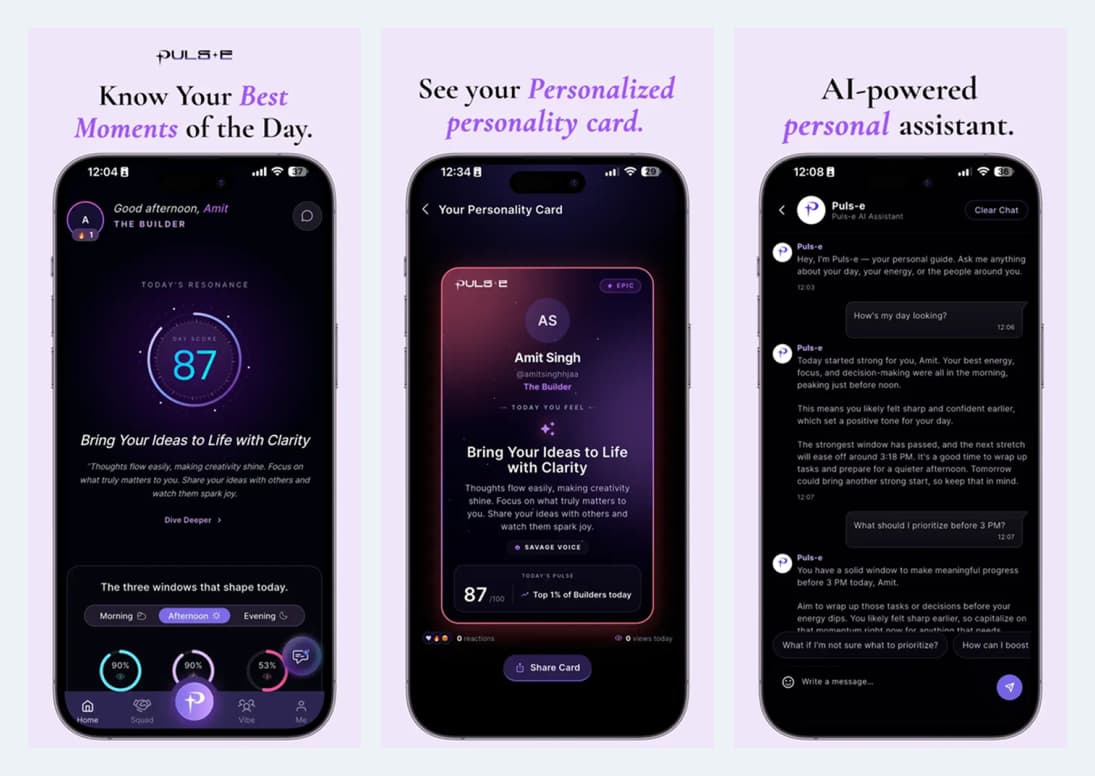
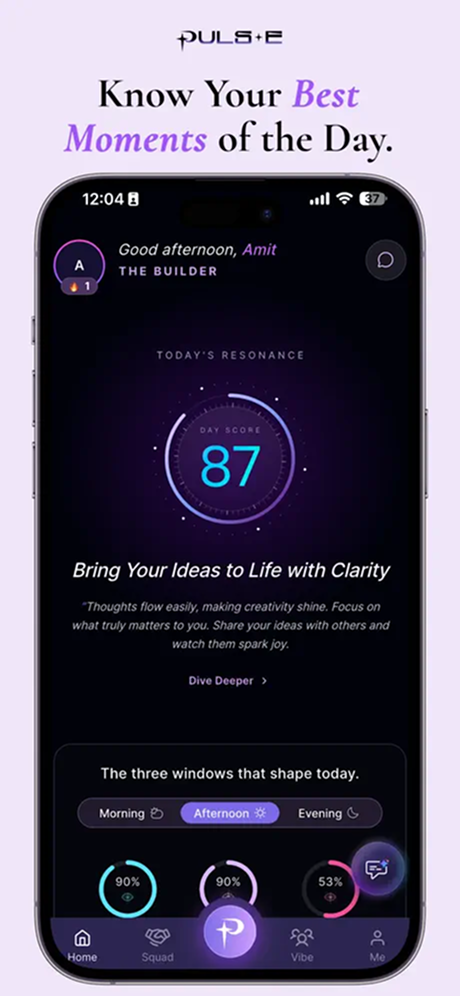
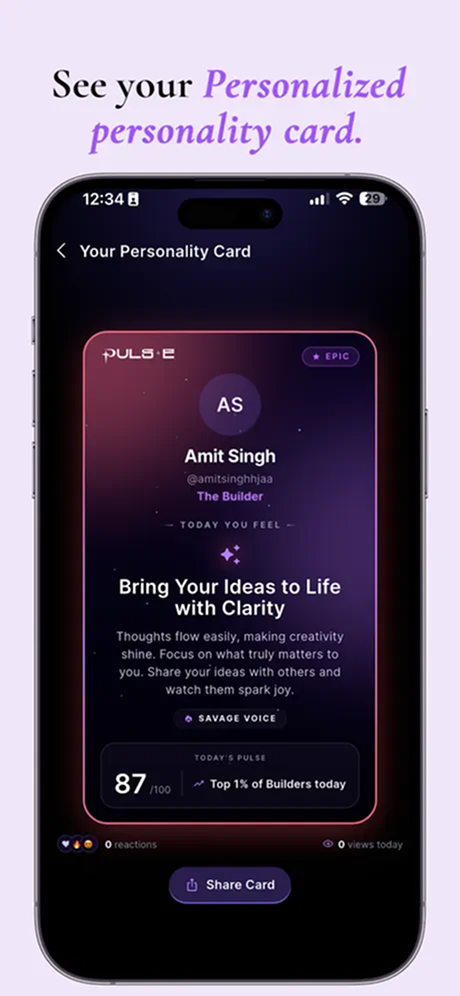
Ackrolix developed Pulse as a mobile experience connecting personalised daily content, personality cards and social discovery. The home introduces a daily score and time-based reflection prompts, while a shareable personality card gives the user a recognisable identity within the app.
- Start at the daily-insights home.
- Open the personal card and review the available profile context.
- Move into the assistant, discovery or connections journey.
- Industry
- Media & Entertainment
- Services / expertise
- Mobile App · Personalised Content · Social Discovery · AI Assistant
Planning a similar project? Explore our mobile app development services for media & entertainment projects.
02 / The project
Personal assistant and conversation flows
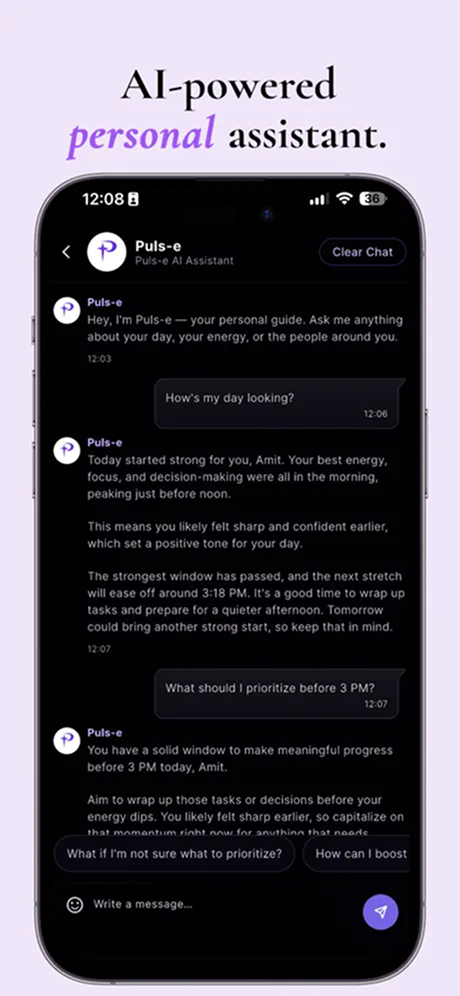
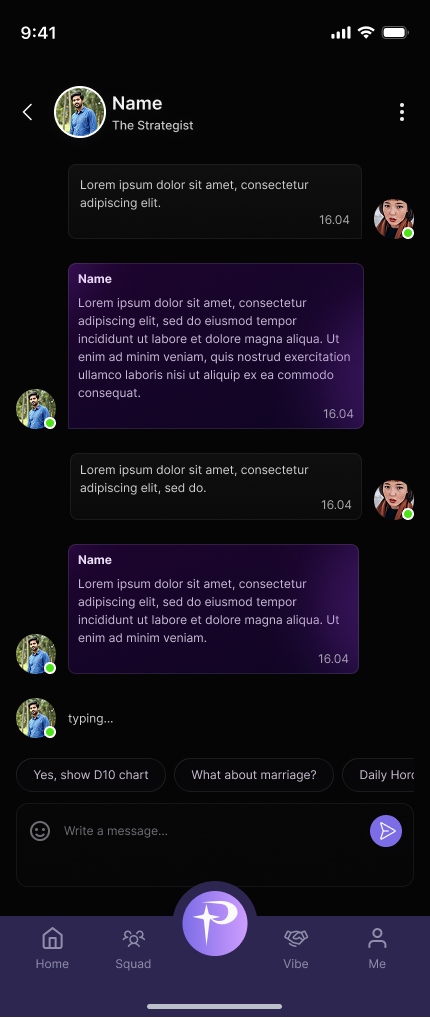
Pulse includes an AI-assistant interface alongside a mobile conversation experience. Suggested prompts help users begin a conversation, while the message composer keeps follow-up questions close to the current exchange.
- Open the assistant or an existing conversation.
- Choose a suggested prompt or write a message.
- Continue the exchange through the chat interface.
03 / The project
Reflection content and pattern explanations
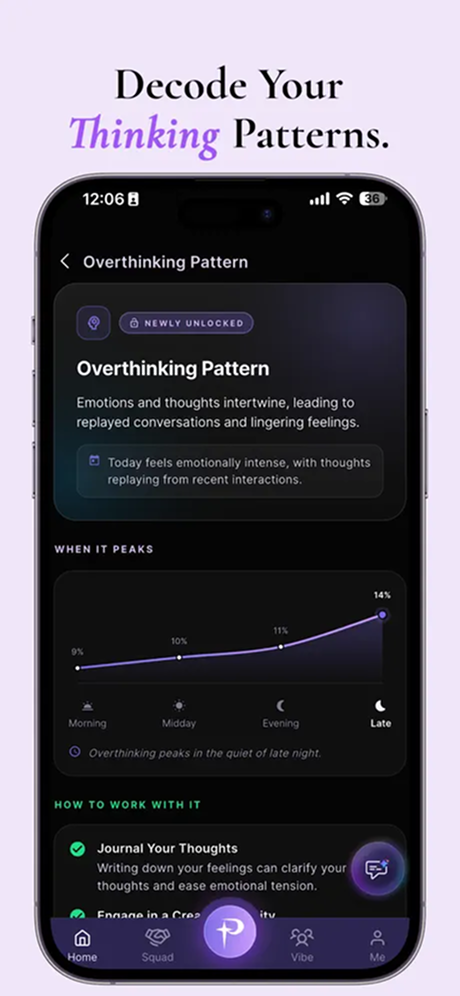
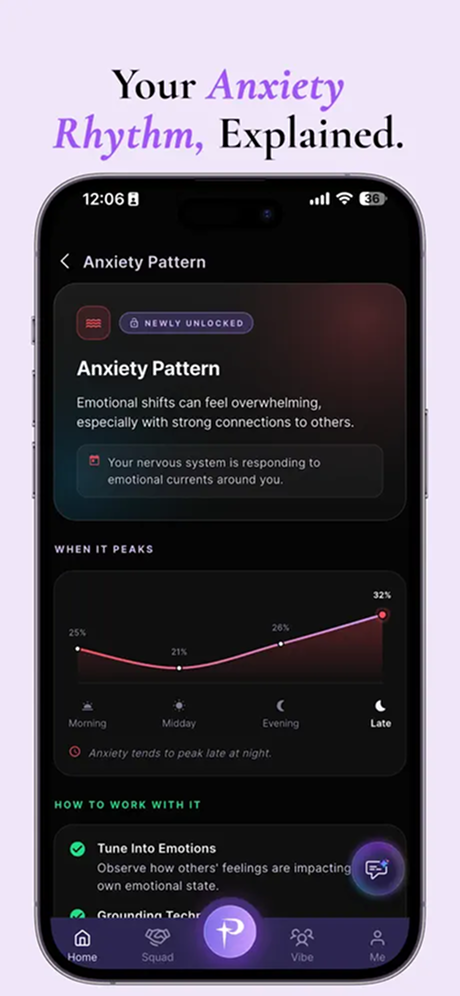
The app presents reflection-oriented content around thinking and emotional patterns, including explanations, visual trends and suggested prompts. Users move from a topic into its detail view, keeping context and follow-up prompts together.
- Open a pattern topic from the insight experience.
- Review the explanation and accompanying visual trend.
- Explore the available reflective prompts.
04 / The project
Discover people and explore compatibility cards
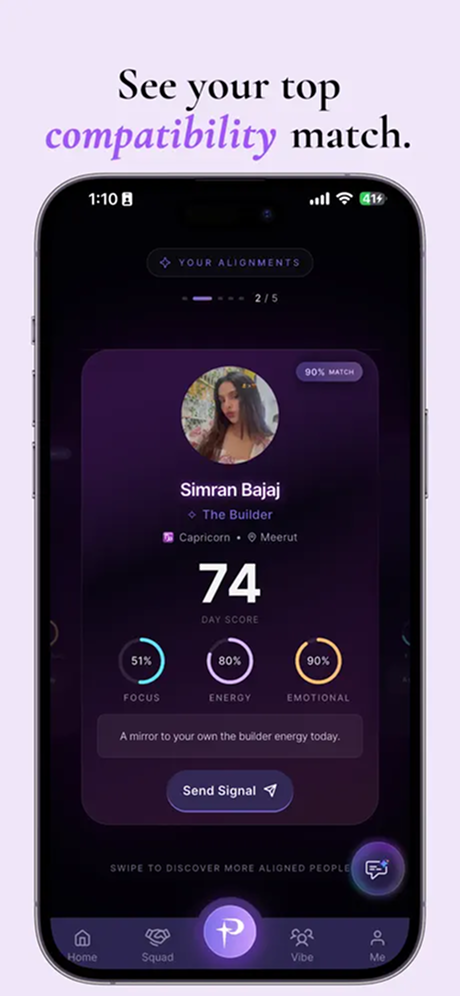
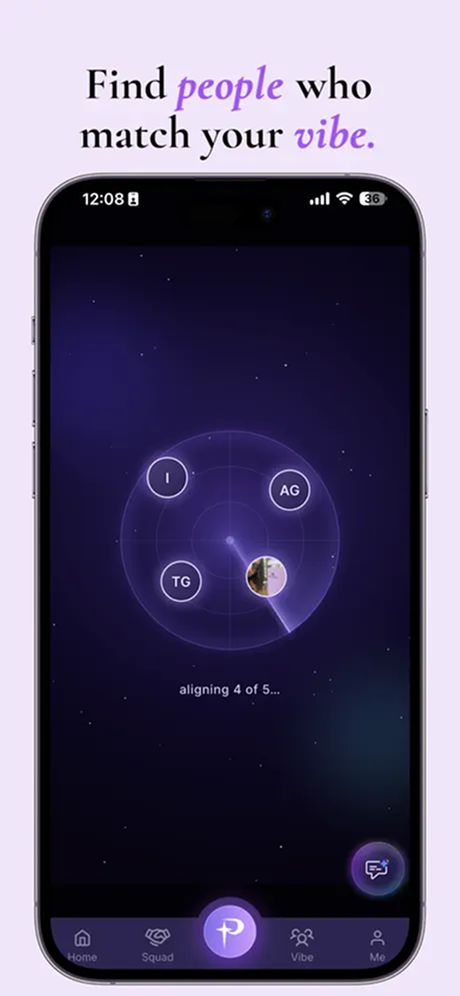
Discovery introduces people through cards that combine a profile, an alignment-style score and a contact action. The transition from searching to reviewing a card gives users a clear way to explore a potential connection.
- Browse the discovery experience.
- Review a profile card and its displayed context.
- Use the available signal or connection action.
05 / The project
Connection and group compatibility journeys
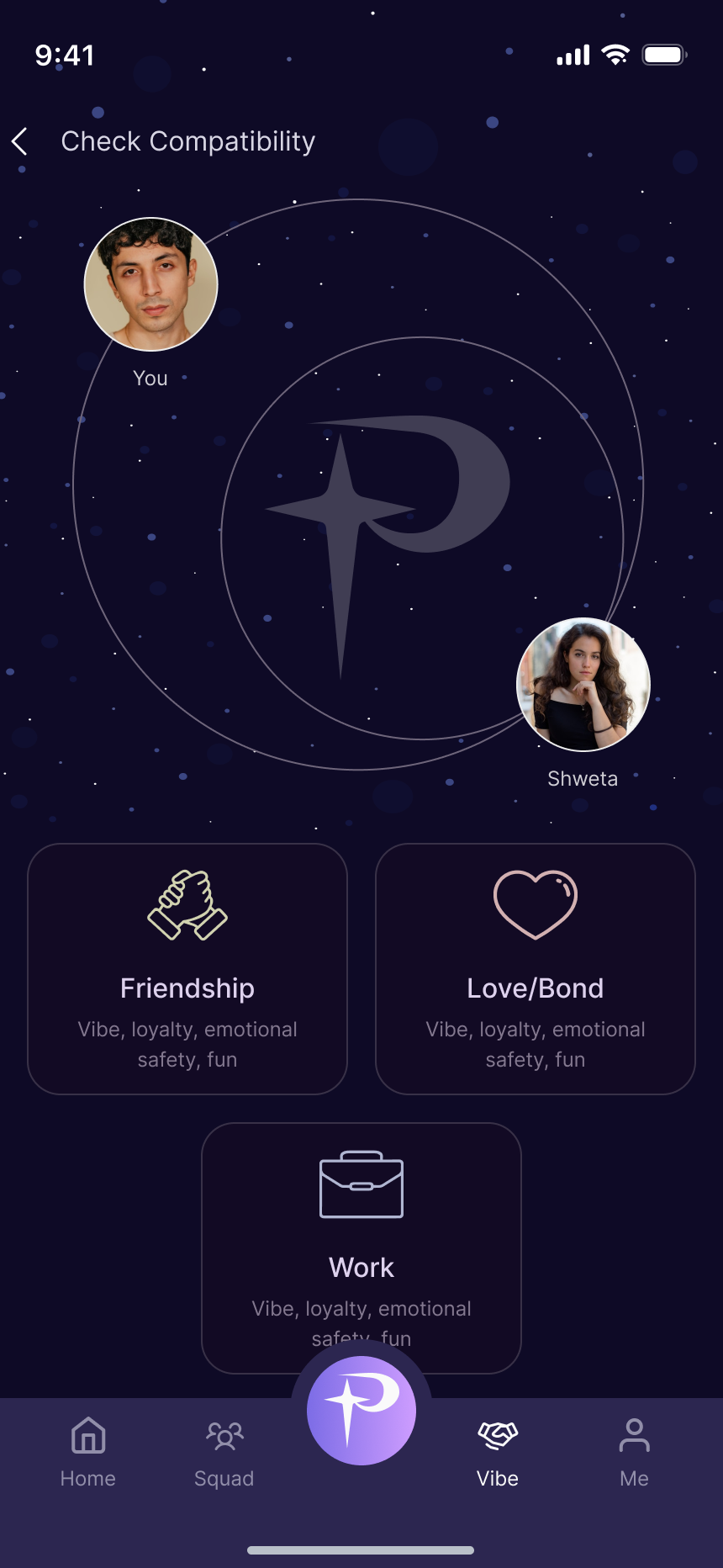
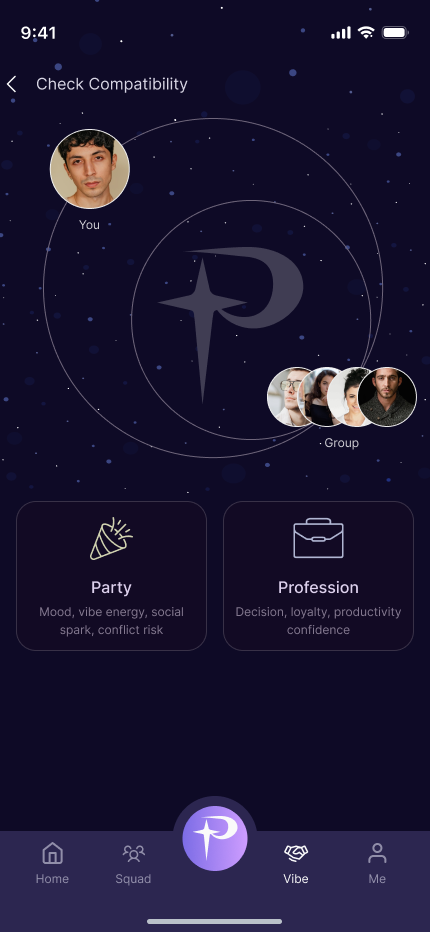
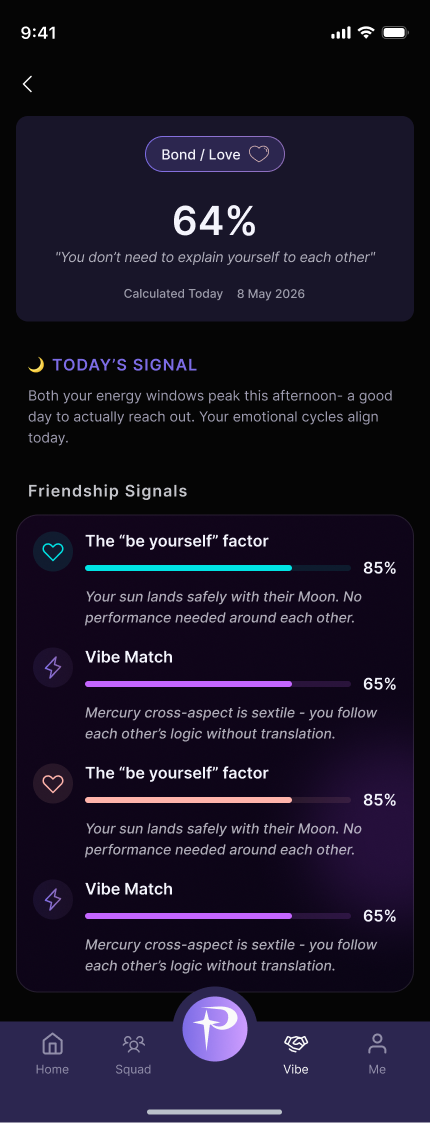
Pulse distinguishes compatibility with one connection from compatibility with a group. Category choices and a detail view structure the experience so the user can explore different kinds of connection context.
- Choose a connection or group.
- Select the relevant compatibility category.
- Review the detail view and available conversation actions.
06 / The project
Manage connections, discovery and invitations
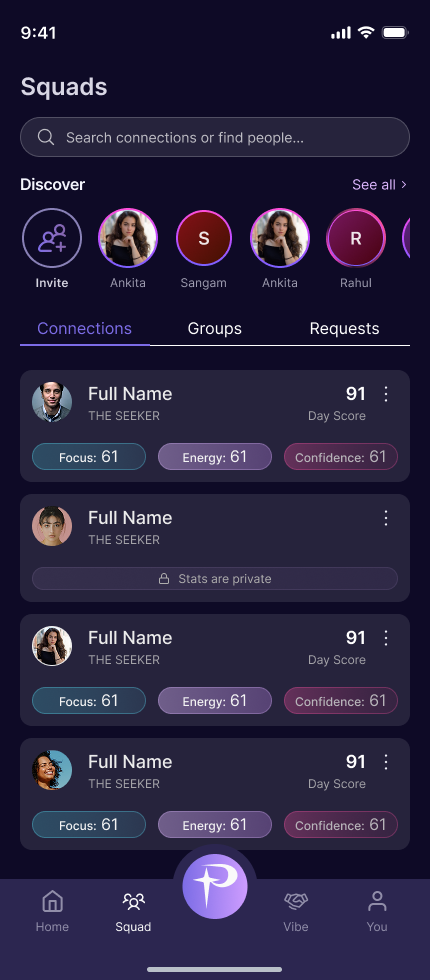
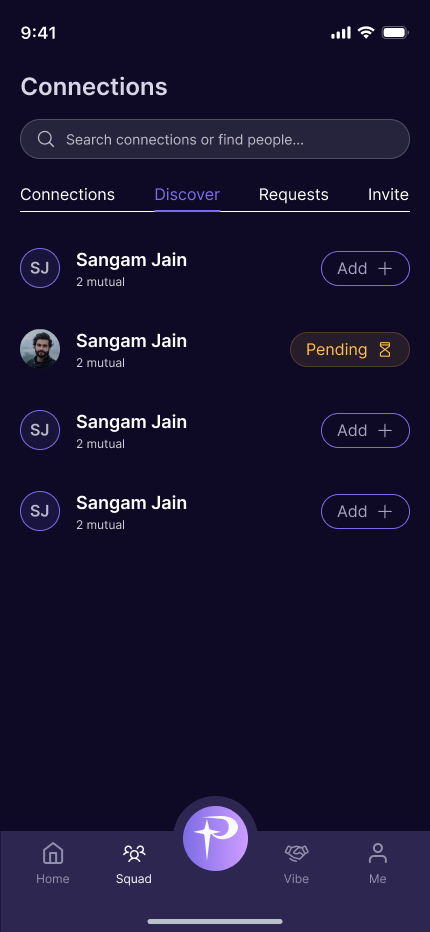
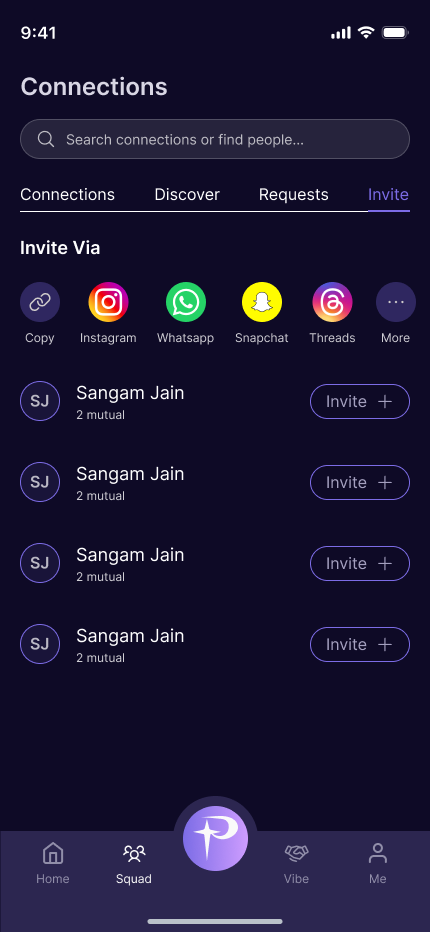
The social area brings existing connections, discovery, incoming requests and invitations into related tabs. Invite options and a searchable list support the transition from finding someone to growing a connection network.
- Browse existing connections and discover new people.
- Send an invitation through the available sharing options.
- Track pending and accepted connections.
07 / The project
Connection requests and personal notes
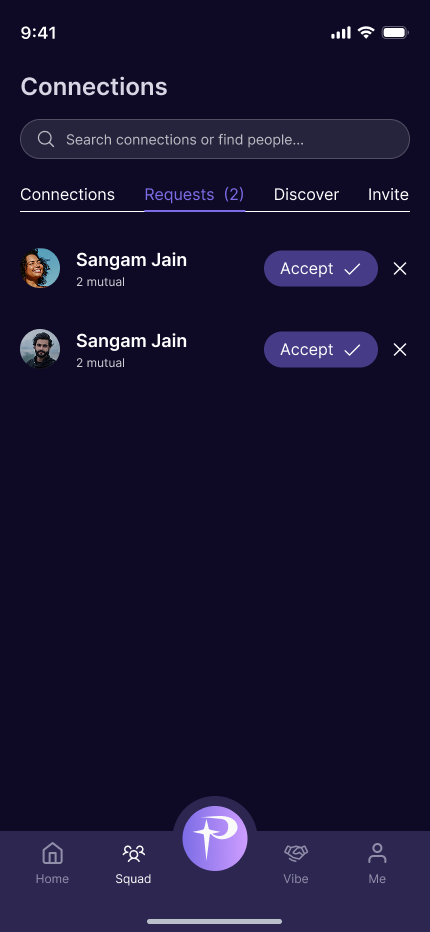
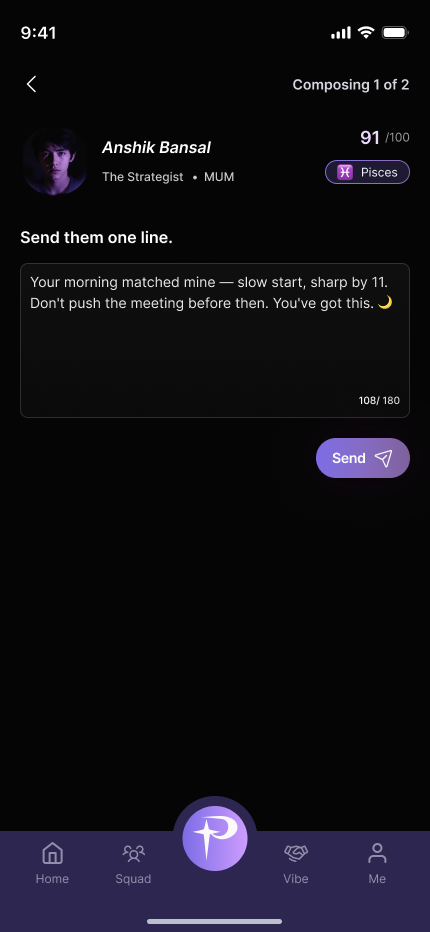
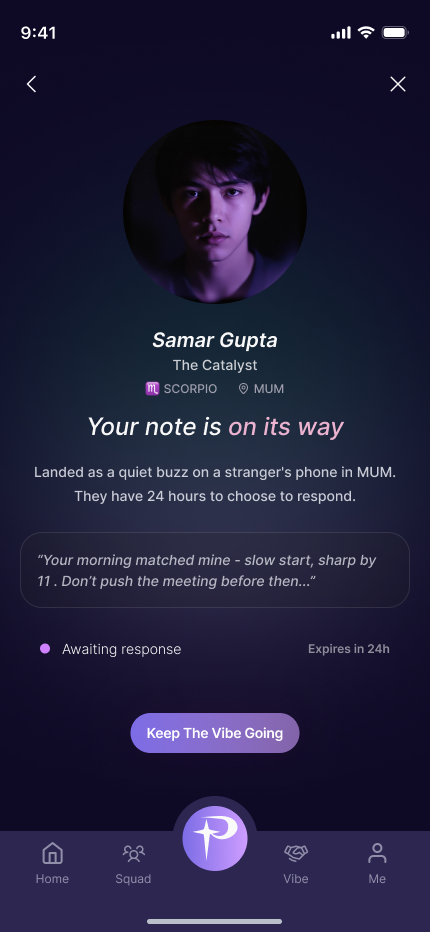
Requests can be accepted from a dedicated list. The note-writing interface adds a personal message to the connection journey, and a sent-note state shows that the message is awaiting a response.
- Review incoming requests.
- Compose and send a note to a connection.
- Return to the sent-note status to follow the next step.
08 / The project
Discuss a personalised social app with Ackrolix
Use Enquire Now to discuss a mobile product with personalised content, an assistant interface, community discovery or messaging. Share the user journeys, moderation responsibilities and first-release priorities for your project.
- Define the content and community experience.
- Scope account, messaging and discovery requirements.
- Agree privacy, moderation and acceptance criteria before delivery.
Questions about this project
What did Ackrolix build for Pulse?
Ackrolix built a mobile experience with daily insights, personality cards, an assistant interface, compatibility journeys, people discovery and connection messaging.
How do users connect with other people in Pulse?
Users explore discovery cards, review profiles, send invitations or notes and manage incoming requests from the connection area.
Prepared by Ackrolix Innovations from its project screens. Displayed prices, names, scores and counts are interface examples, not project performance results. About the team.