01 / The client
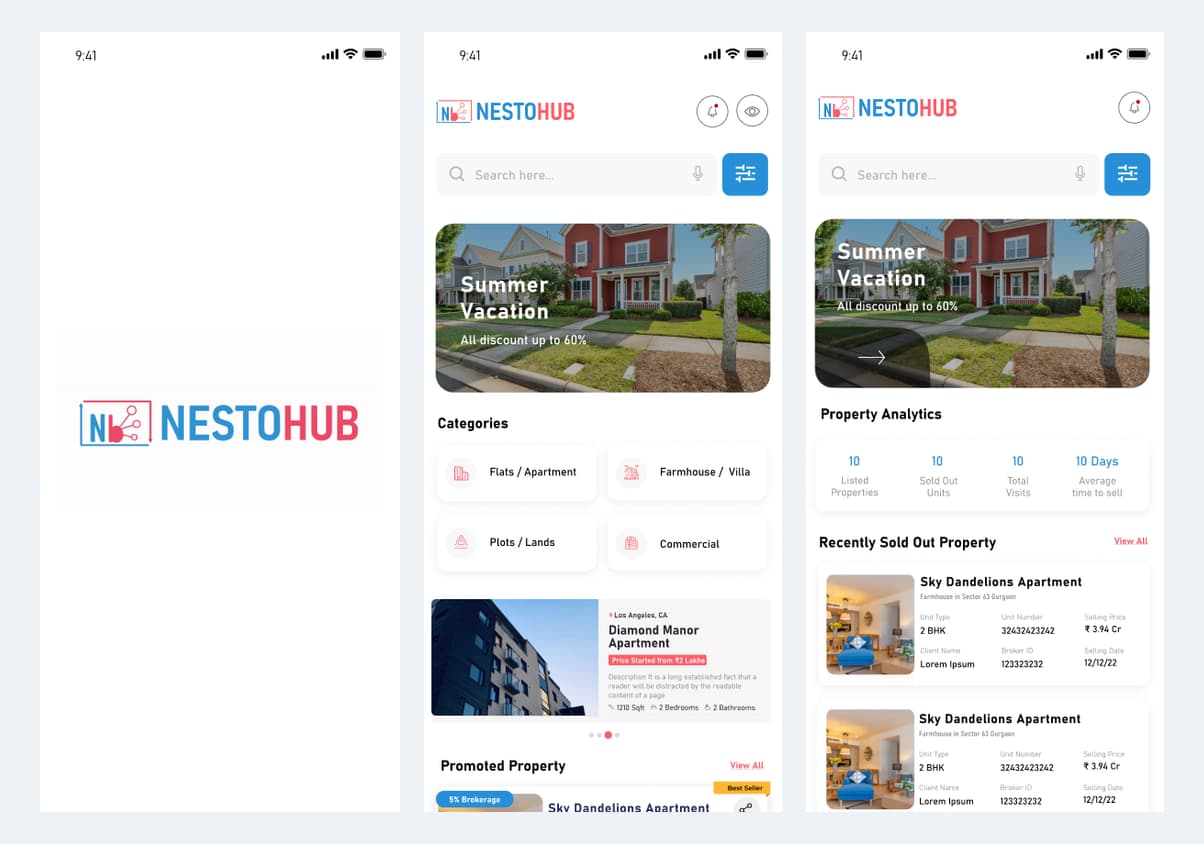
About Nesto: splash screen and role-specific home views
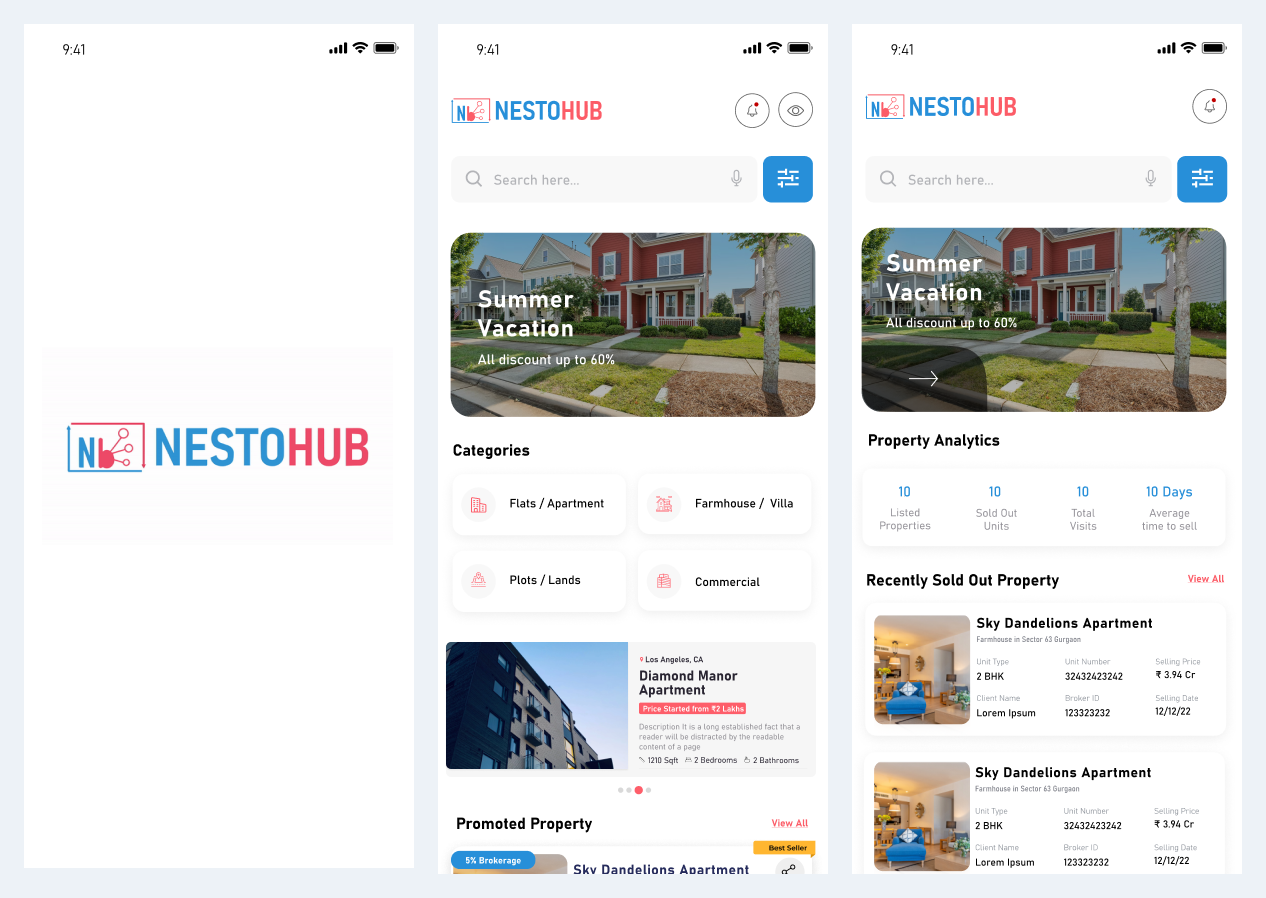
NestoHub opens with a branded splash screen and provides distinct home experiences for brokers and builders. The broker view introduces property opportunities, while the builder home introduces property activity and business information. The opening excerpts below establish these roles before the client, visit and brokerage workflows.
- Broker entry: splash and sign-in → property discovery home.
- Builder entry: splash and sign-in → property and activity home.
- Industry
- Real Estate
- Services / expertise
- Mobile App · Real Estate CRM · Brokerage Management
Planning a similar project? Explore our mobile app development services for real estate projects.
02 / The project
About Nesto: broker property discovery
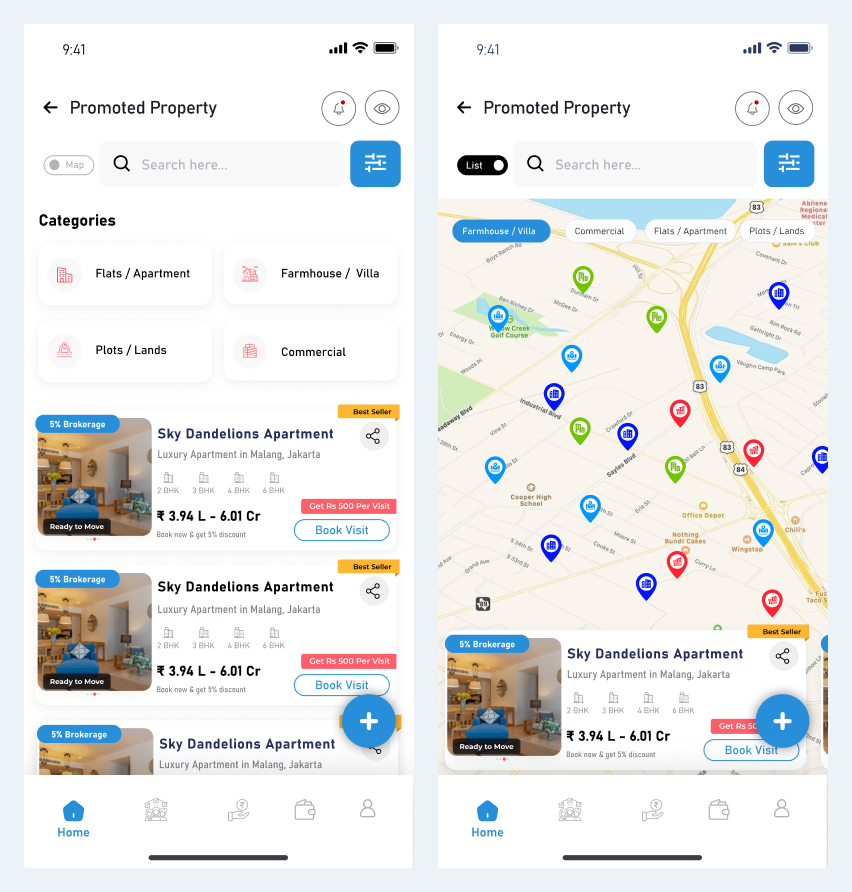
Nesto’s broker interface presents property opportunities through list and map views. Property categories, filters and property cards help a broker find options before reviewing a project or arranging a visit. The supplied interface uses NestoHub branding.
- Broker flow: browse list or map → refine criteria → open a property.
- Property categories cover residential and commercial opportunities.
03 / The project
Broker CRM: clients and property requirements
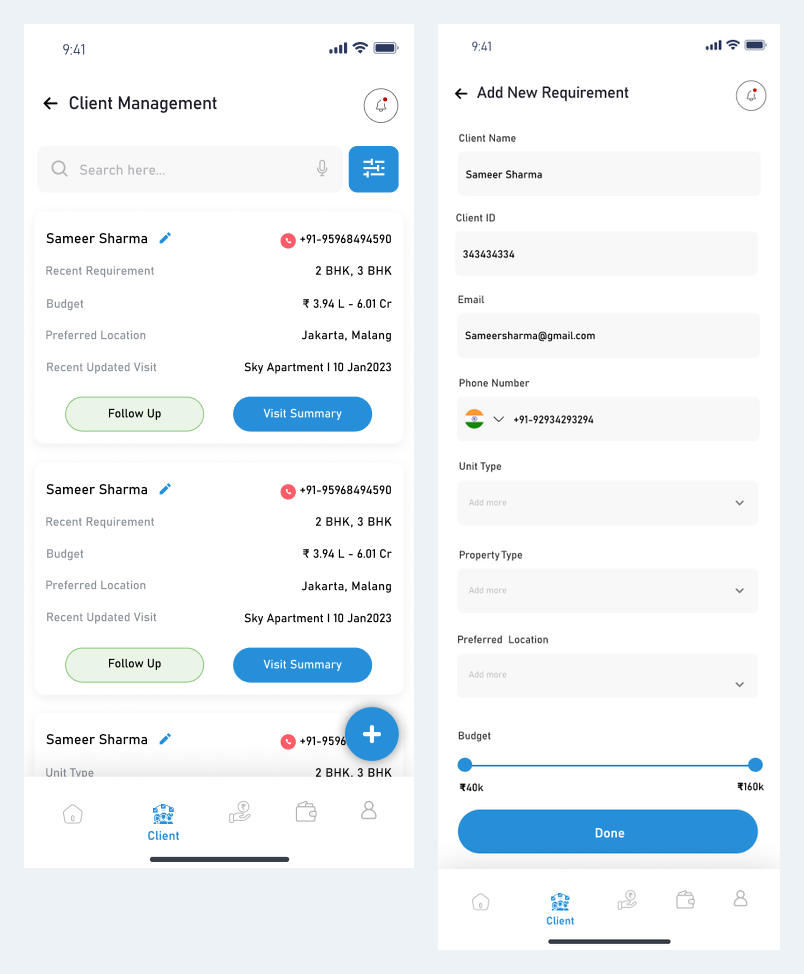
Client management connects customer records with recent requirements, budgets, preferred locations and visit summaries. A separate requirement form captures the criteria needed to search for suitable properties. This makes the sales relationship visible alongside the property catalogue.
- Create or update the client record.
- Record property type, location and budget requirements.
- Use follow-up and visit-summary entry points from the client view.
04 / The project
Arrange a site visit and verify the visit claim
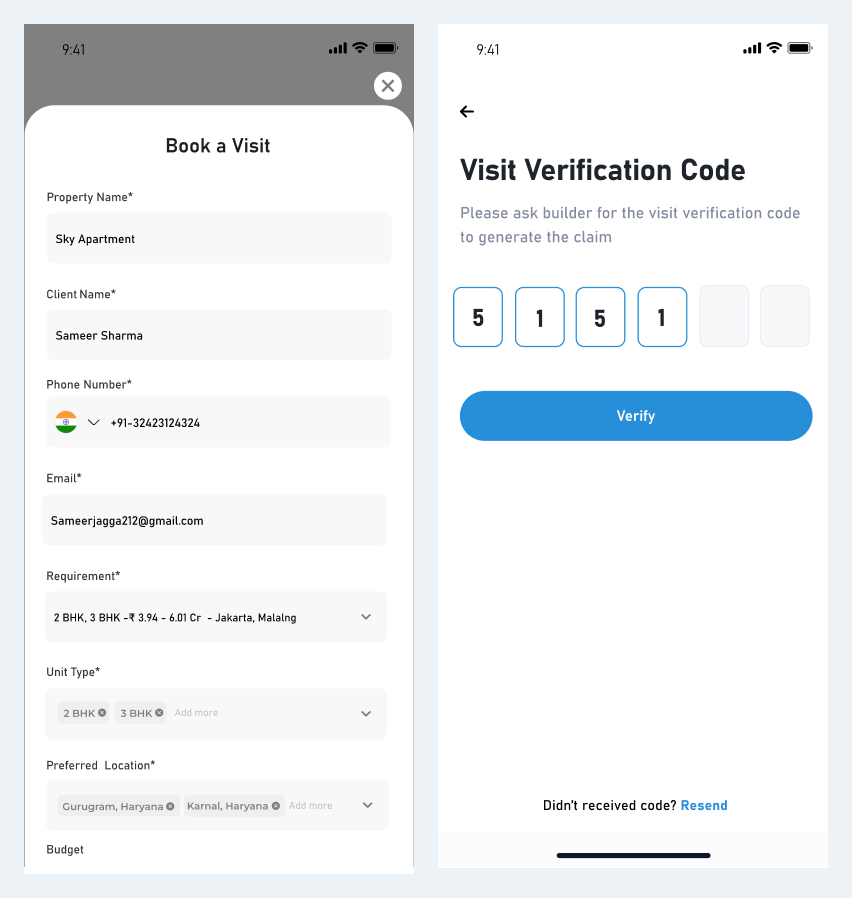
The visit-booking form collects customer details and date-and-time preferences. A visit-verification screen asks for a builder-provided code to generate a visit claim. These screens connect the broker’s appointment journey with builder-side confirmation.
- Select a property and customer.
- Choose a visit date and slot.
- Enter the visit-verification code when completing the claim step.
05 / The project
Brokerage management across both roles
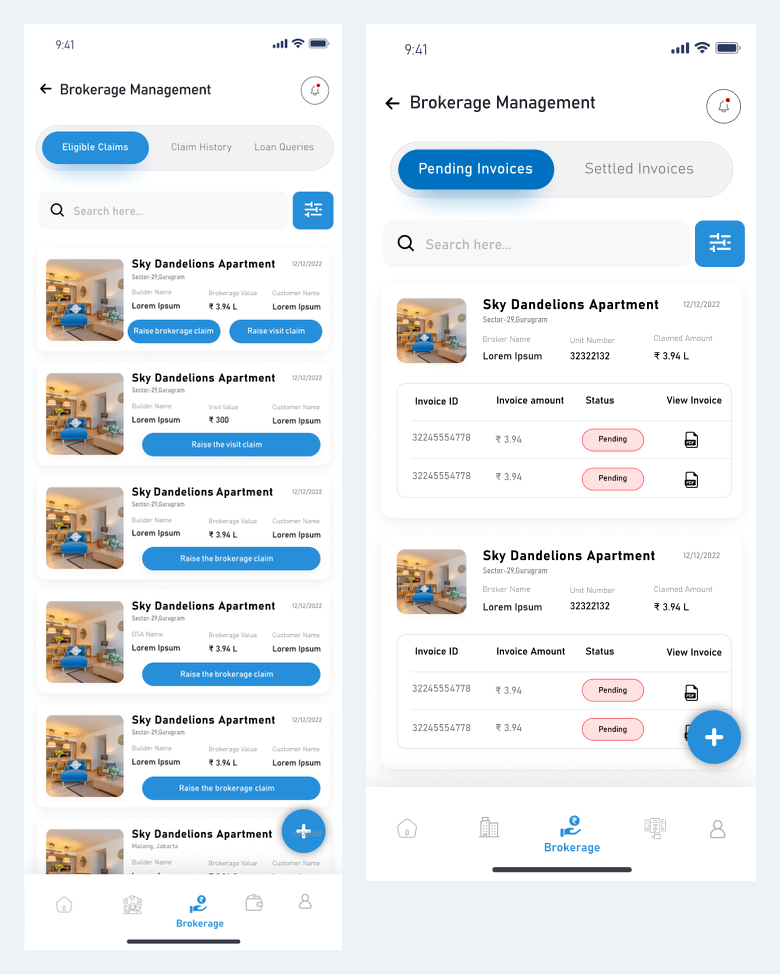
Broker screens show eligible claims and claim-history entry points. The builder view separates pending and settled invoices. Together, the designs present two perspectives on brokerage follow-up without establishing payment settlement performance or approval guarantees.
- Broker: review eligible claims and submit the relevant claim details.
- Builder: review pending invoices and settled records.
- Keep sample claim amounts separate from project outcome metrics.
06 / The project
Builder app: properties and team responsibilities
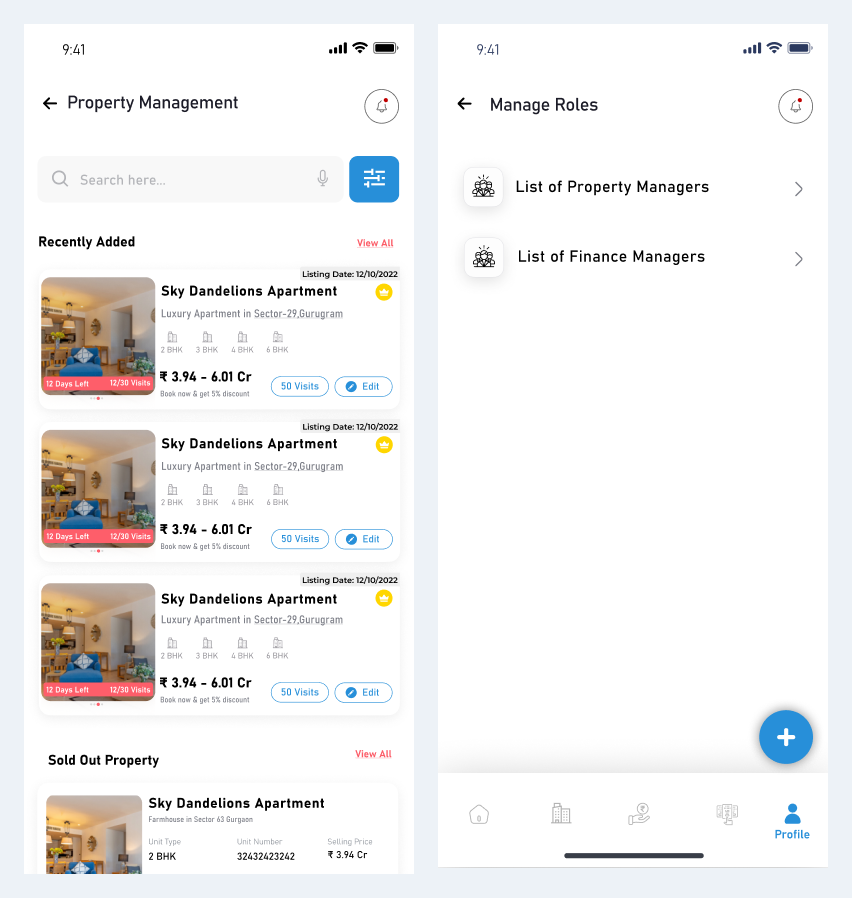
The builder app includes property management and role-management entry points. Dedicated property-manager and finance-manager screens show how team responsibilities can be organised around selected properties. This is the supplied builder-side administrative flow rather than evidence of a separate desktop admin product.
- Builder flow: open property management → review a property → request an edit.
- Open manage roles → select property or finance managers → assign properties.
- Maintain property and finance responsibilities within the builder experience.
07 / The project
Builder operations: finance ownership and exceptions
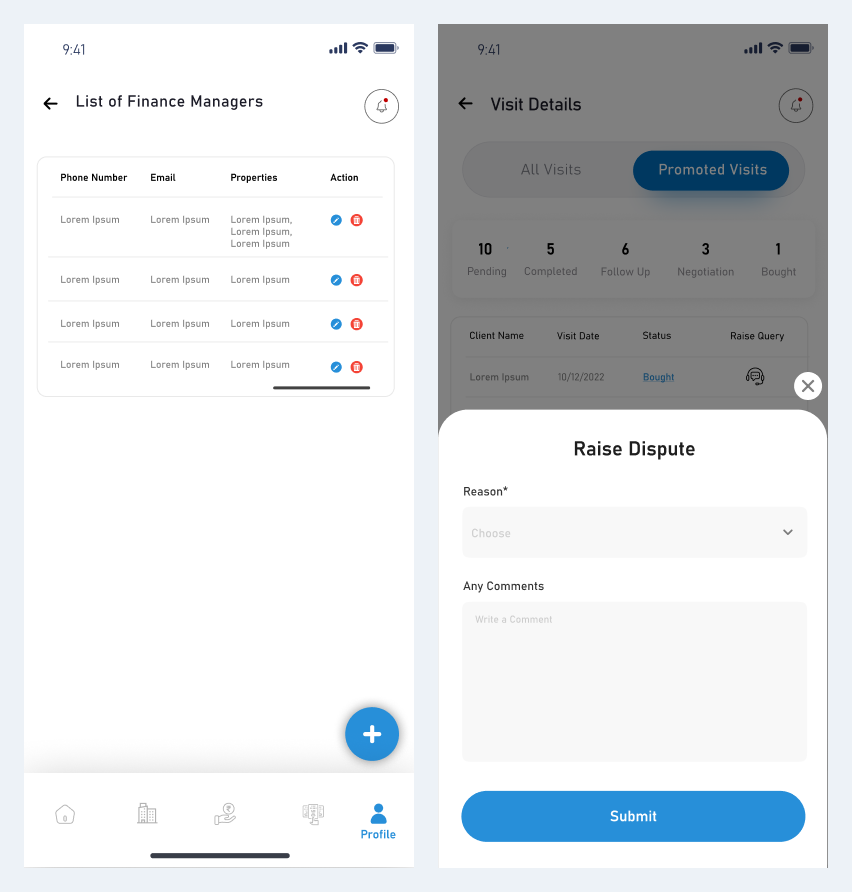
Finance-manager records and a dispute interface support operational follow-up after the initial property and broker activity. These designs show where responsibility and exceptions fit into the wider property workflow.
- Review the finance-manager list.
- Assign the appropriate property responsibility.
- Raise an exception through the dispute workflow when needed.
08 / The project
Suggested platform administration workflow
The app screens establish the user journeys described above. A separate central admin panel was not supplied. The following is a proposed supporting workflow for discussion, rather than a claim about delivered or verified admin functionality.
- Review builder and broker accounts and role permissions.
- Oversee property edit requests, assigned teams and listing quality.
- Monitor visit verification and brokerage disputes without bypassing approvals.
- Review support and finance exceptions through an authorised operations process.
09 / The project
Discuss a similar mobile app with Ackrolix
Share your user roles, first-release priorities and integration requirements with Ackrolix. The enquiry form is the starting point for discussing a comparable app, its operational workflows and a suitable delivery scope.
- Define the main customer and business-user journeys.
- Confirm notifications, permissions and operational ownership.
- Agree integrations and acceptance criteria before estimating delivery.
Questions about this project
What is the difference between Nesto’s broker and builder apps?
The broker app focuses on finding properties, managing clients, arranging visits and following brokerage claims. The builder app focuses on properties, property and finance managers, pending or settled invoices and operational exceptions.
How can I request a demo or discuss a similar app?
Use Enquire Now to reach the Ackrolix contact form and share the app workflow, user roles and integrations you want to discuss.
Prepared by Ackrolix Innovations from app designs supplied in October 2026. Screens describe interface journeys; sample amounts, names and counts are design content. No deployment metrics, technology stack or separate admin implementation is inferred. The proposed administration workflow is identified separately. About the team.