01 / The client
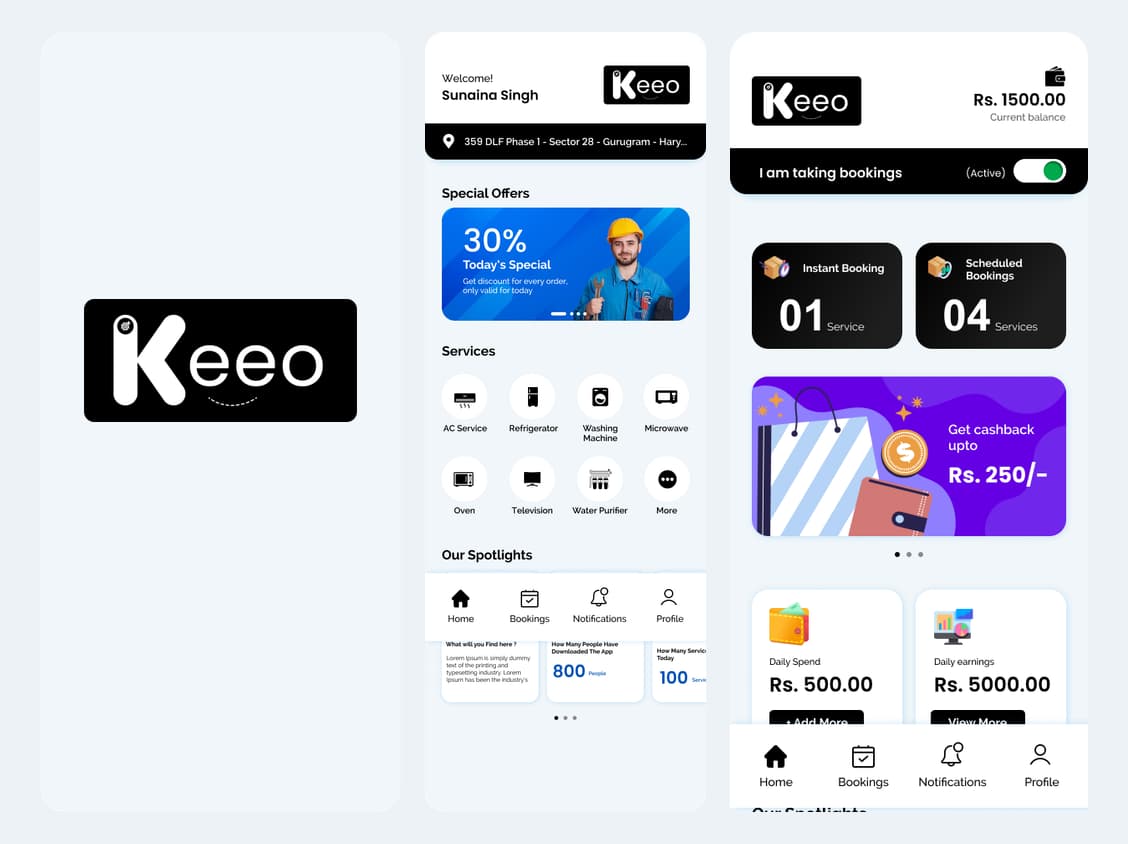
About Keeo: splash screen and customer/technician home
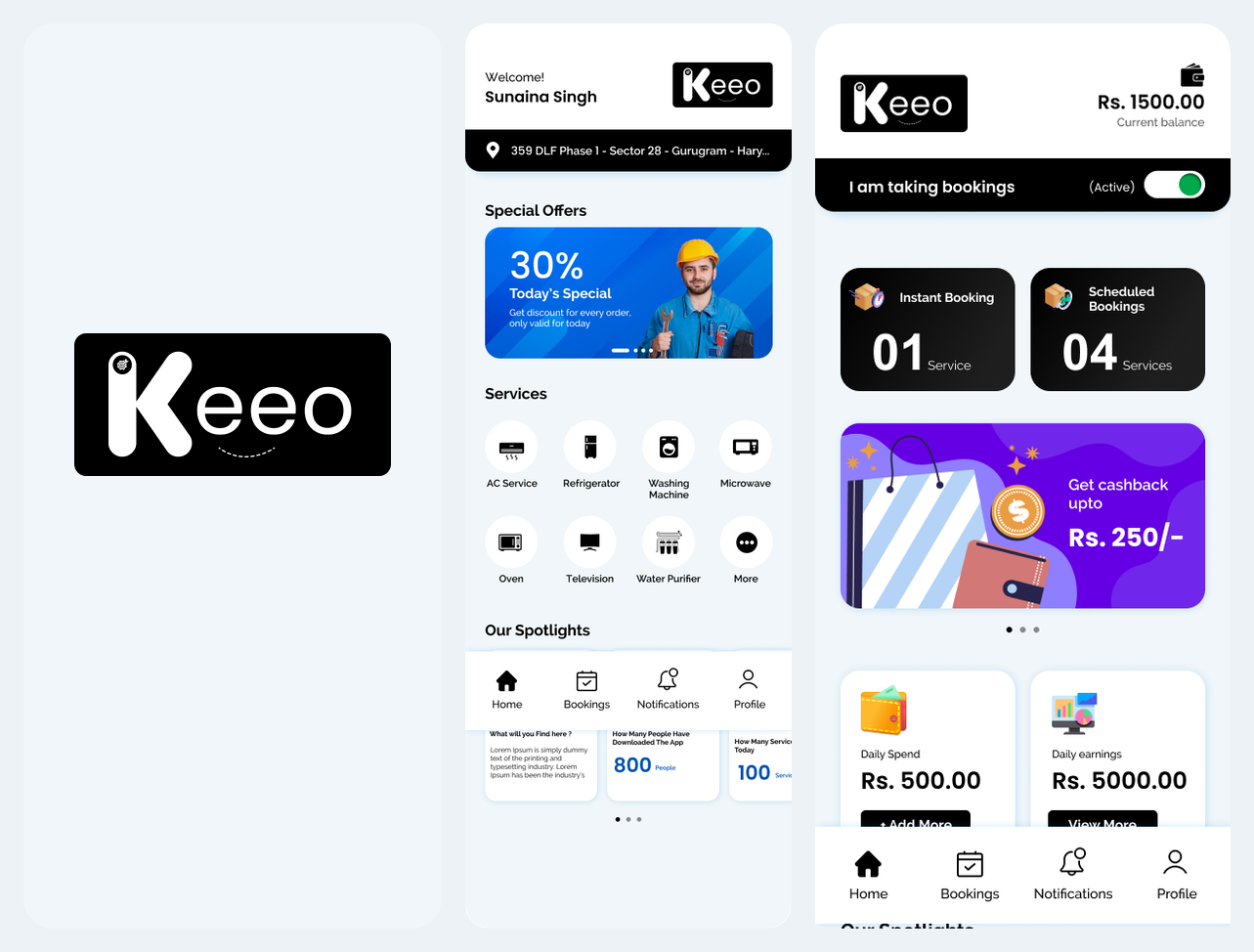
Keeo introduces its identity through a simple branded splash screen. The customer home then presents appliance services, while the technician home presents availability, booking activity and wallet entry points. These opening screens establish the two roles before the detailed service-booking journey.
- Customer entry: splash screen → service home → select a service.
- Technician entry: sign in → review dashboard → set booking availability.
- Industry
- E-commerce & On-Demand
- Services / expertise
- Mobile App · On-Demand Services · Booking Management
Planning a similar project? Explore our mobile app development services for e-commerce & on-demand projects.
02 / The project
Customer app: service discovery
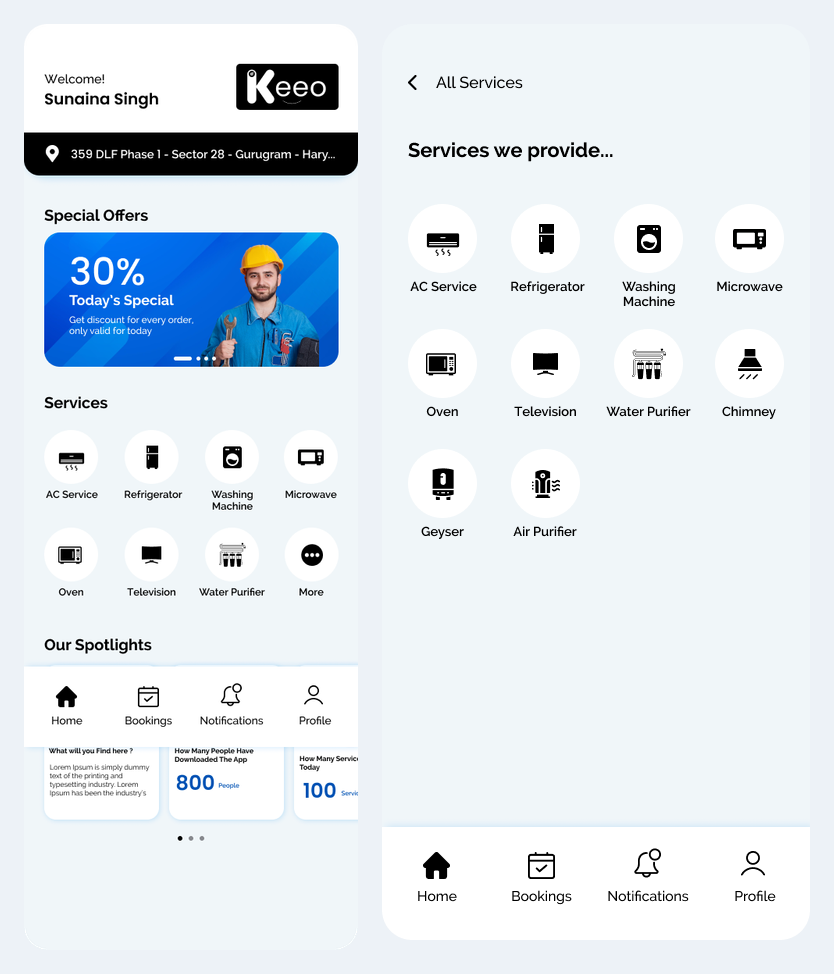
The customer journey begins with a service catalogue covering appliances such as air conditioners, refrigerators, washing machines and chimneys. The home screen brings service categories and location context together, helping a customer choose the right starting point.
- Browse the service catalogue.
- Choose an appliance service before entering booking details.
03 / The project
Customer app: instant or scheduled booking
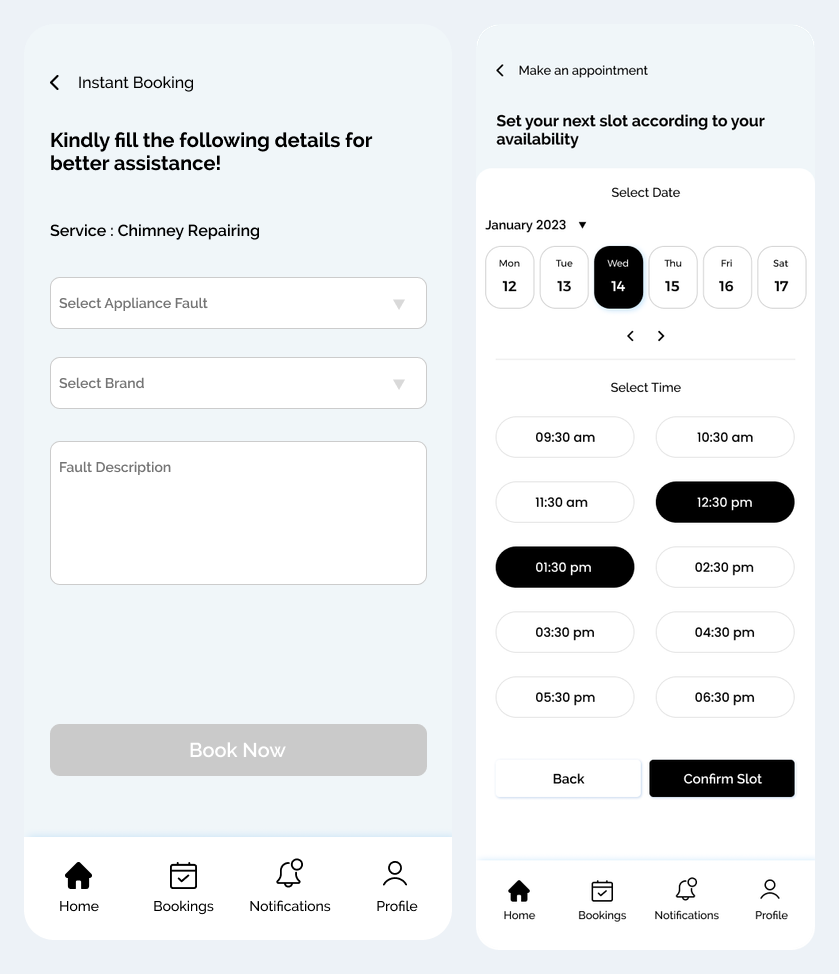
The service experience offers instant and scheduled booking options. Customers can describe an appliance fault and brand, or choose an appointment date and available time. These screens make the difference between an immediate request and a planned visit visible.
- Instant flow: select service → add fault and brand details → request a technician.
- Scheduled flow: select service → choose date and time → confirm the slot.
04 / The project
Customer app: matching and booking history
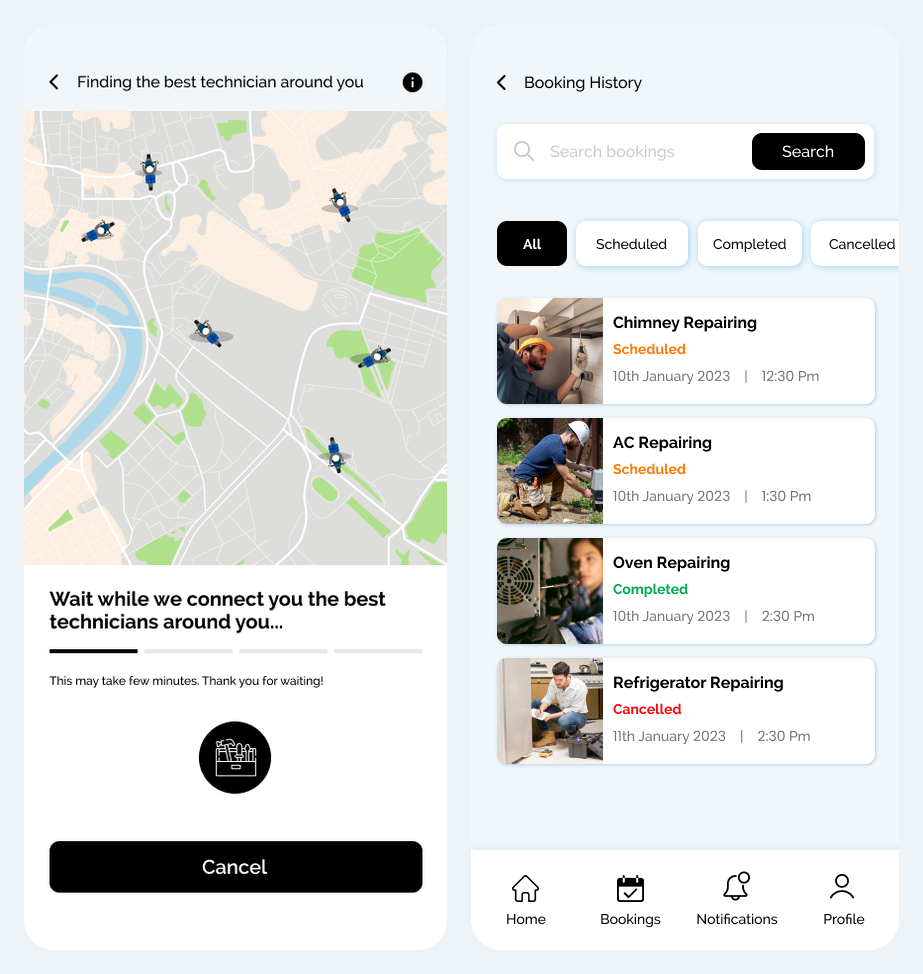
A map-based waiting screen presents technician discovery after a request. Booking history separates scheduled, completed and cancelled records, giving customers a place to revisit their requests. The designs document the interface states; they do not establish live tracking accuracy or fulfilment times.
- Show the customer that technician matching is in progress.
- Keep booking status and appointment records together.
05 / The project
Technician app: availability and request acceptance
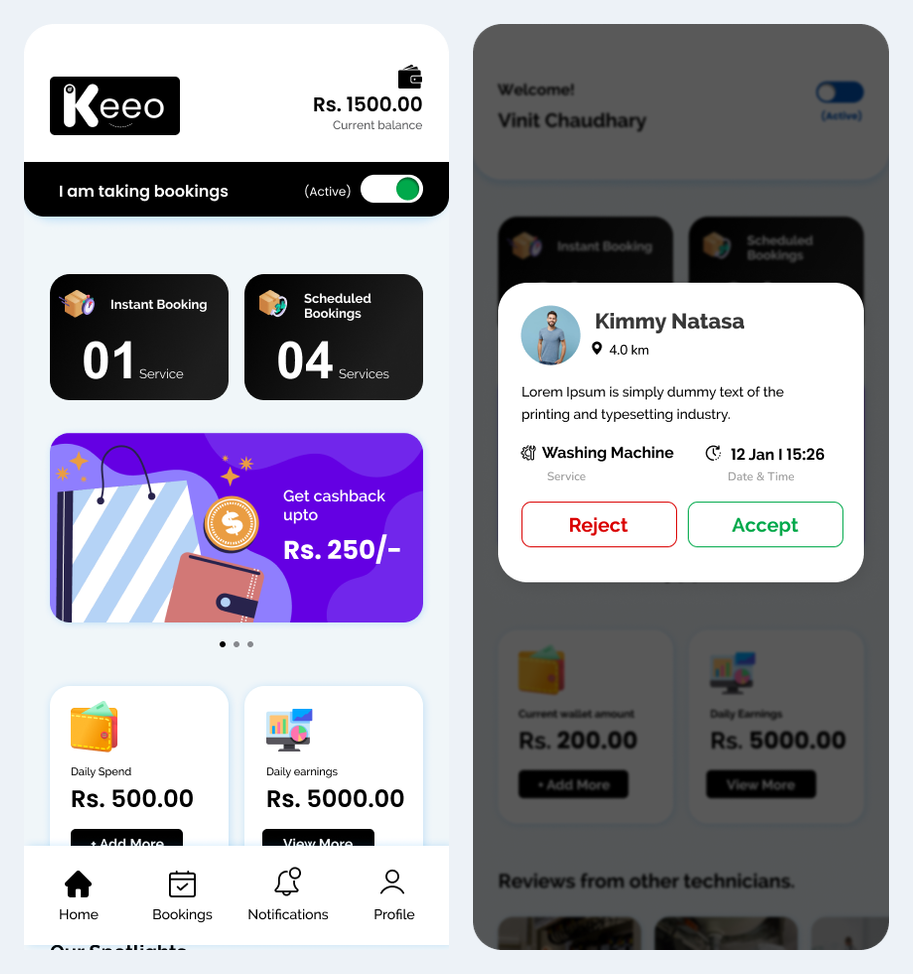
The technician home screen shows an availability switch, instant and scheduled bookings, and wallet information. An incoming request card presents customer, service and distance context with accept and reject actions. This gives technicians a separate working view from the customer app.
- Technician flow: open dashboard → set availability → review request → accept or reject.
- Accepted work continues into customer contact and the service visit.
06 / The project
Technician app: service execution and completion
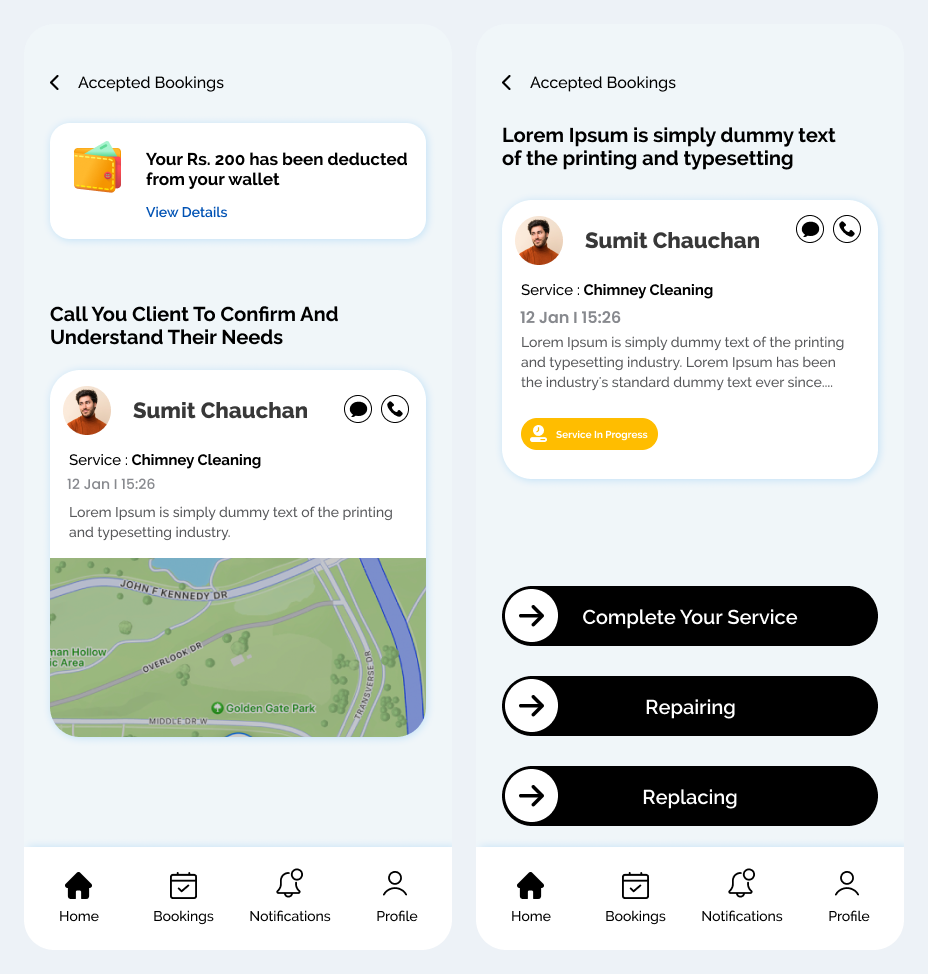
Accepted-booking screens bring customer contact, location context and service status into one view. The completion flow includes repair and replacement actions, reflecting appliance-service work that can require additional parts or a different resolution.
- Review an accepted booking and contact the customer.
- Progress the visit through service, repair or replacement actions.
- Keep completed work available in booking history.
07 / The project
Technician app: wallet and appointment changes
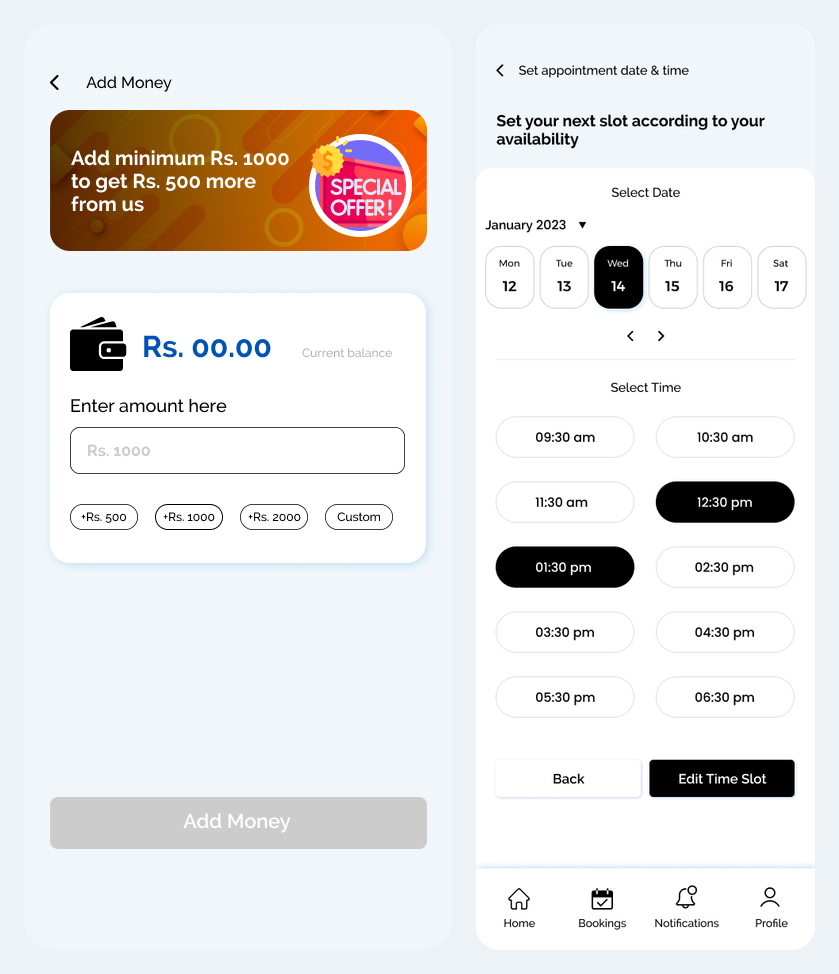
Technician screens include a wallet top-up form and a date-and-time editor for scheduled work. These interface examples support discussion of technician operations without treating sample balances or payment-provider artwork as verified transaction results.
- Wallet view with amount entry and top-up choices.
- Date and time selection for appointment changes.
08 / The project
Suggested platform administration workflow
The app screens establish the user journeys described above. A separate central admin panel was not supplied. The following is a proposed supporting workflow for discussion, rather than a claim about delivered or verified admin functionality.
- Review service categories, technician profiles and service areas.
- Monitor incoming, accepted, scheduled, completed and cancelled bookings.
- Handle scheduling exceptions and customer or technician support requests.
- Review wallet adjustments and service records with appropriate permissions.
09 / The project
Discuss a similar mobile app with Ackrolix
Share your user roles, first-release priorities and integration requirements with Ackrolix. The enquiry form is the starting point for discussing a comparable app, its operational workflows and a suitable delivery scope.
- Define the main customer and business-user journeys.
- Confirm notifications, permissions and operational ownership.
- Agree integrations and acceptance criteria before estimating delivery.
Questions about this project
How do the Keeo customer and technician apps work together?
Customers choose an appliance service and request an instant or scheduled visit. Technicians review requests, accept work, contact the customer and progress the service toward completion. The supplied designs also include booking history, scheduling and wallet screens.
How can I request a demo or discuss a similar app?
Use Enquire Now to reach the Ackrolix contact form and share the app workflow, user roles and integrations you want to discuss.
Prepared by Ackrolix Innovations from app designs supplied in October 2026. Screens describe interface journeys; sample amounts, names and counts are design content. No deployment metrics, technology stack or separate admin implementation is inferred. The proposed administration workflow is identified separately. About the team.