01 / The client
About Ask My Lawyer: client, lawyer and admin experiences
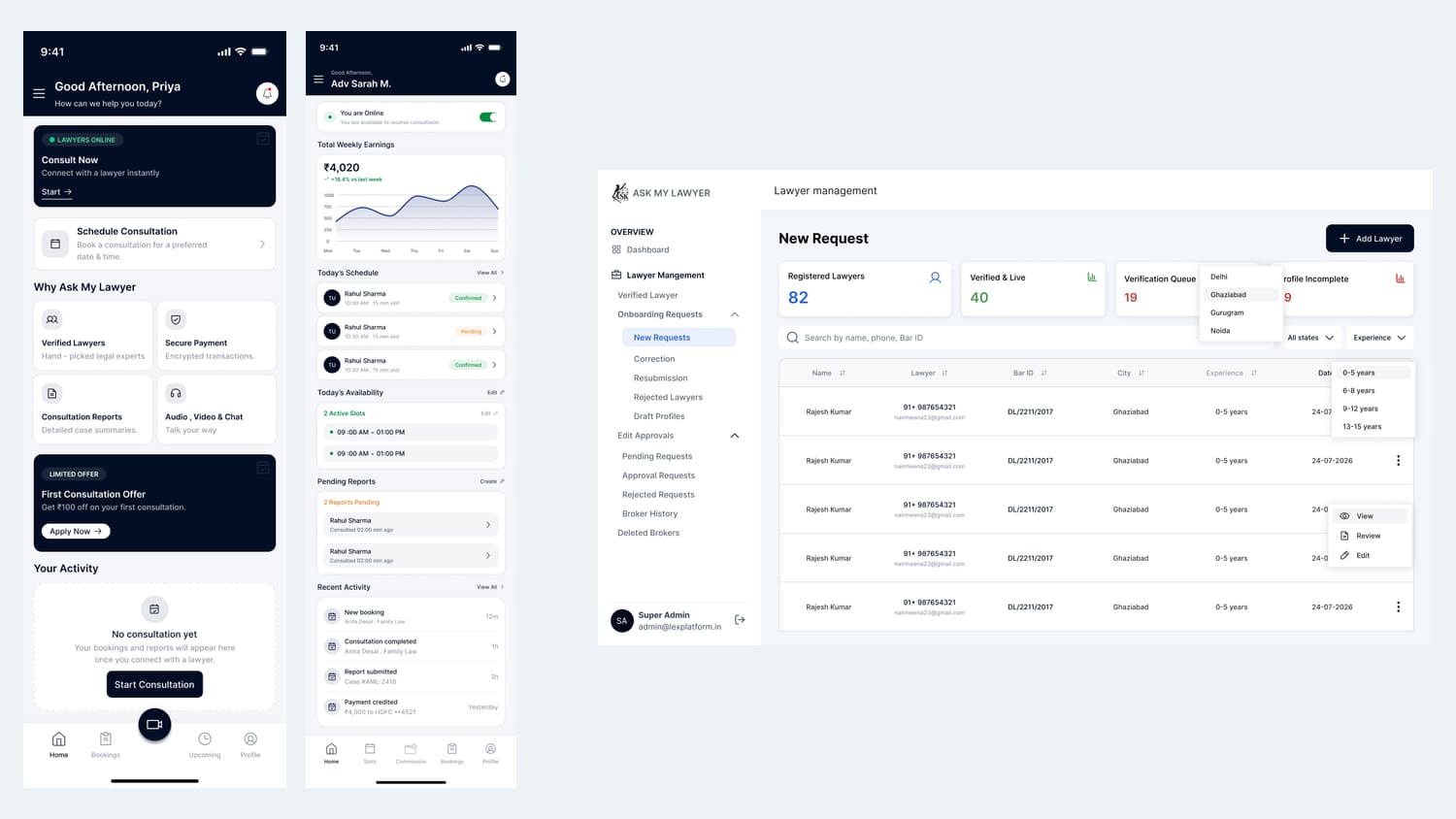
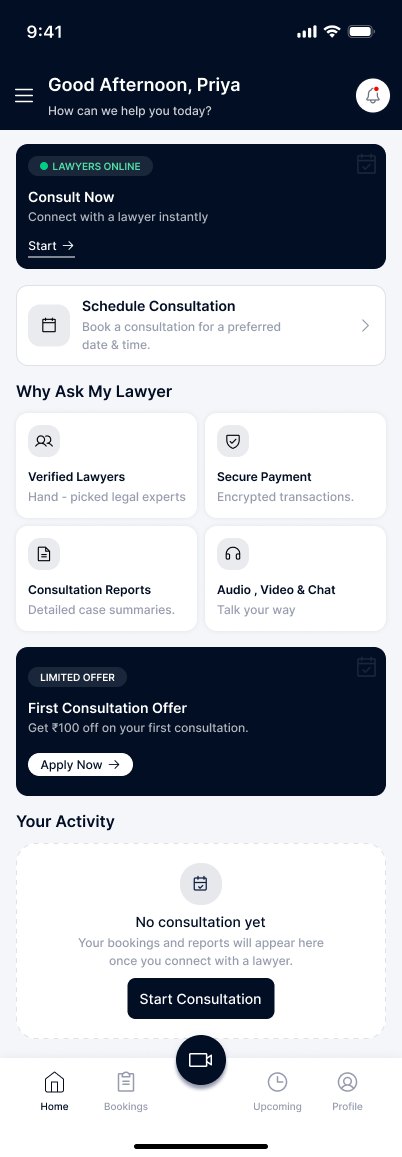
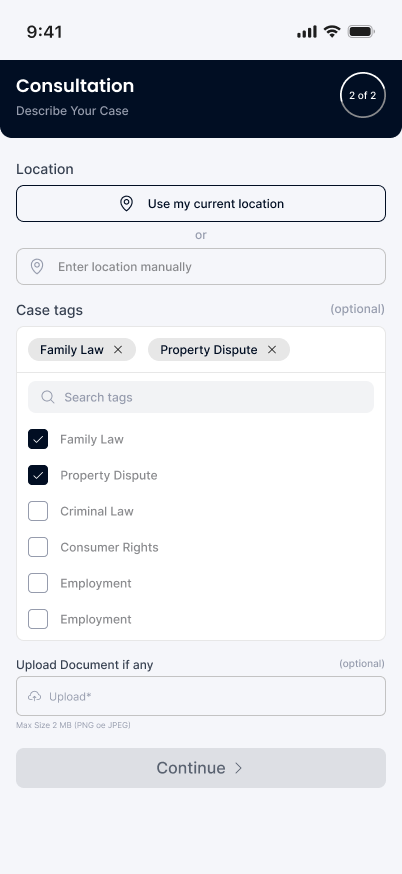
Ackrolix built Ask My Lawyer as a legal-consultation platform connecting a client app, a lawyer app and an administrative portal. The client home offers an immediate consultation route and a scheduled option. Case setup collects location, matter tags and optional documents so the request has context before the consultation begins.
- Client flow: open home → choose immediate or scheduled consultation → describe the case.
- Capture location and relevant case categories.
- Attach supporting documents when required.
- Industry
- Professional Services
- Services / expertise
- Mobile App · LegalTech Platform · Admin Portal · Consultation Booking
Planning a similar project? Explore our mobile app development and custom software development services.
02 / The project
Review the consultation and payment details
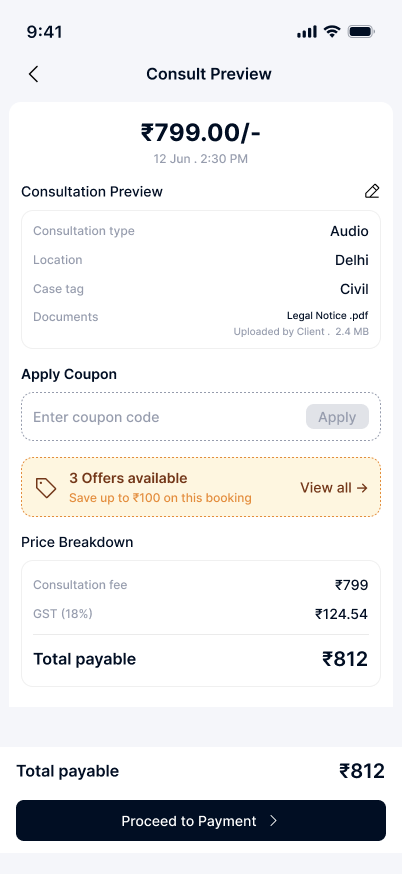
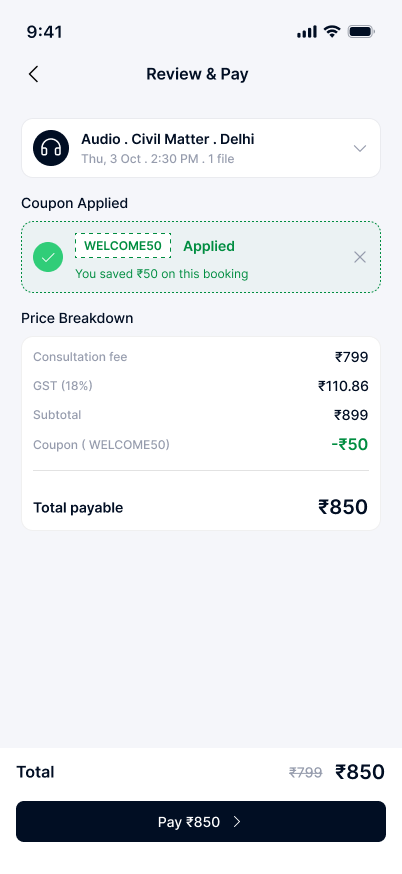
The consultation preview presents format, location, case information and uploaded-document context alongside the fee summary. The review-and-pay screen separates the charge breakdown, coupon adjustment and payable total before the client continues.
- Review consultation details before payment.
- Check the fee breakdown and any applied offer.
- Continue from the final payable-total screen.
03 / The project
Match a lawyer and join the consultation
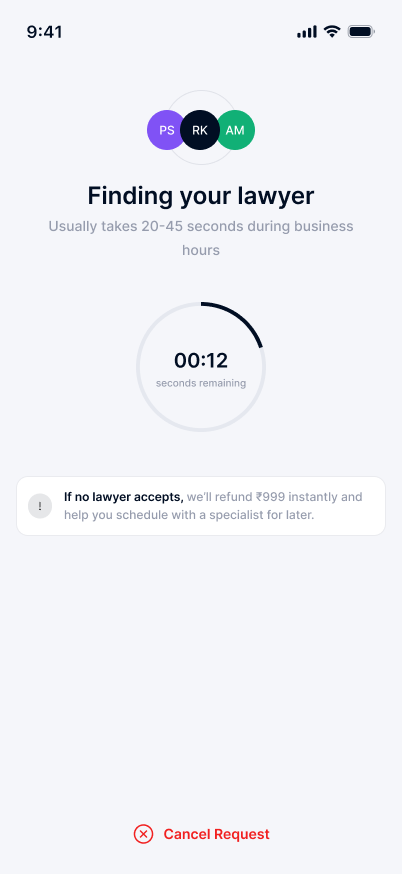
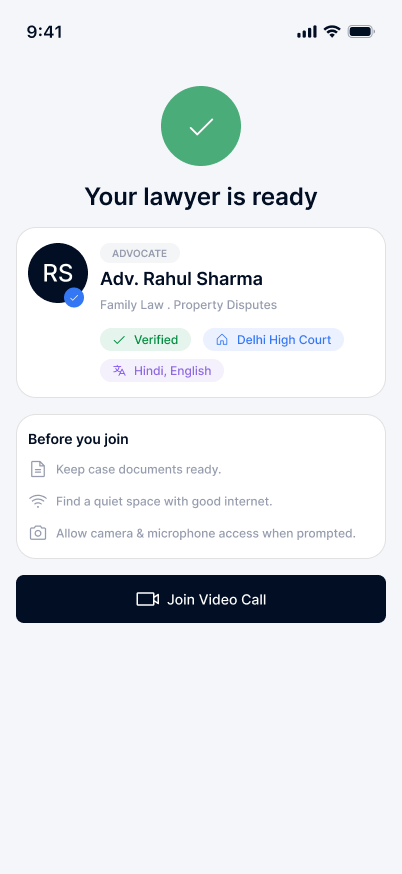
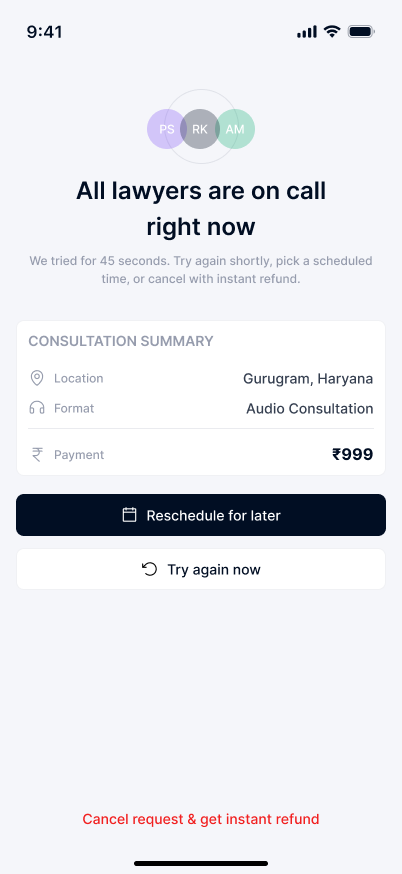
The matching stage shows that a lawyer is being found for the request. When a lawyer is ready, the app presents their profile context and a join action. A separate no-availability state offers rescheduling or retry choices, keeping the next step visible when an immediate match is not available.
- Submit the consultation request and follow matching progress.
- Review the assigned lawyer and prepare the required documents.
- Join the consultation, or use the reschedule/retry path if no lawyer is available.
04 / The project
Consultation completion, reports and support
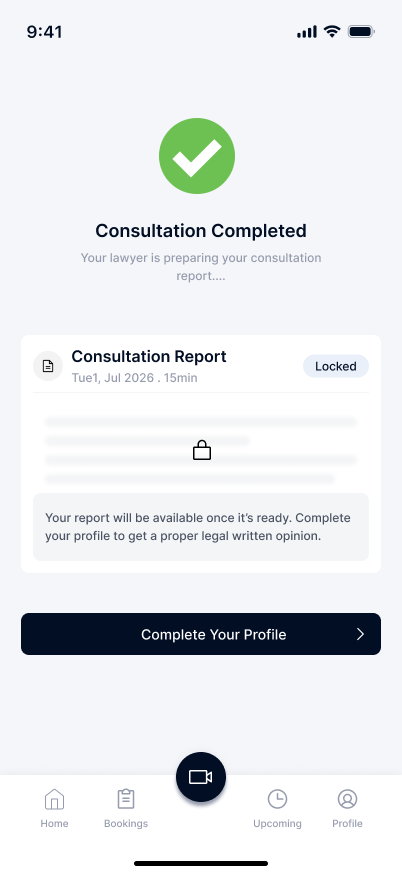
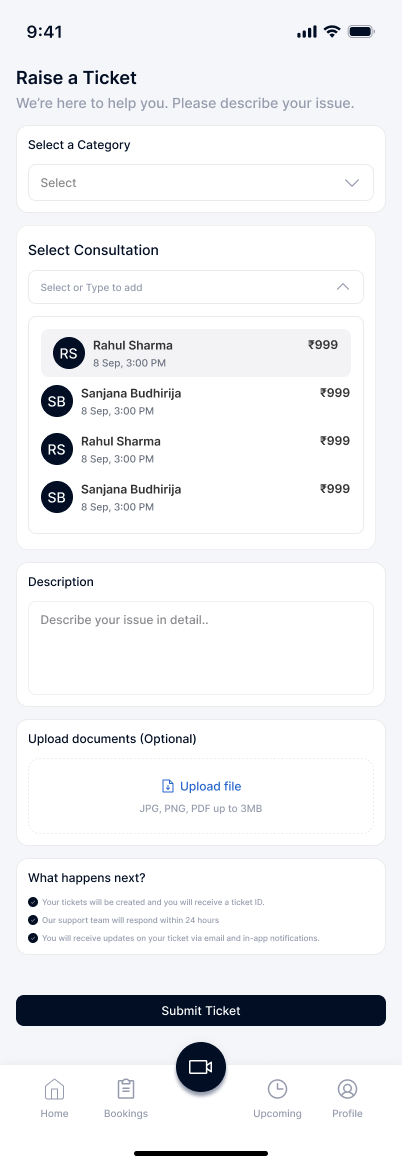
After a consultation, the client sees a completion state and a report entry point. The report screen also prompts completion of the client profile where needed. A support ticket can be linked to a consultation, categorised and accompanied by a description or supporting documents.
- Review consultation completion and report status.
- Complete profile details requested for the report journey.
- Raise a support ticket with consultation context.
05 / The project
Lawyer app: dashboard, availability and consultation preferences
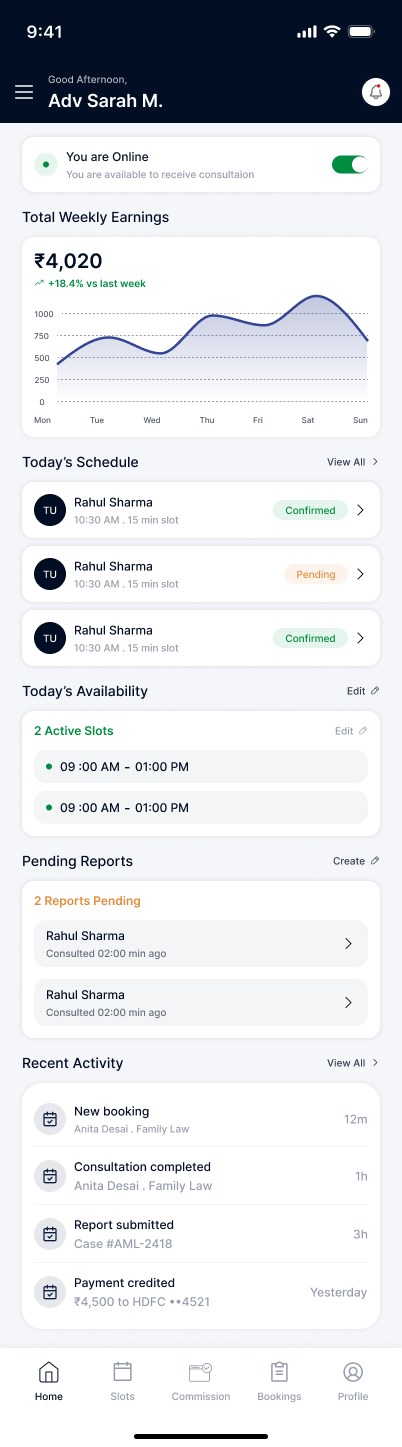
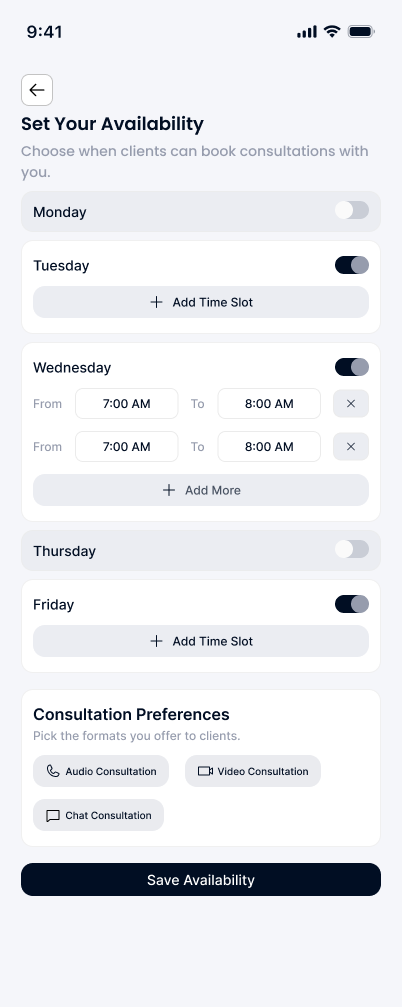
The lawyer dashboard brings online status, consultation activity and pending-report context into one view. Weekly availability controls allow a lawyer to define time slots and consultation-format preferences, connecting working hours with the booking experience.
- Lawyer flow: open dashboard → set availability → review consultation activity.
- Define weekly consultation slots.
- Choose the supported consultation formats in preferences.
06 / The project
Lawyer earnings and payout information
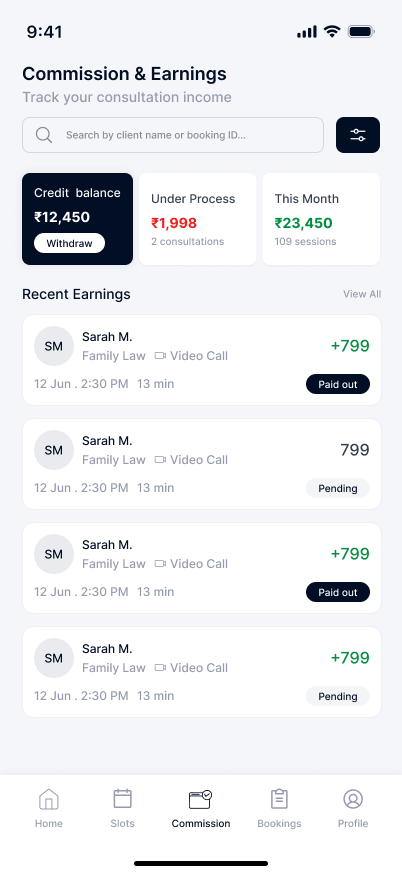
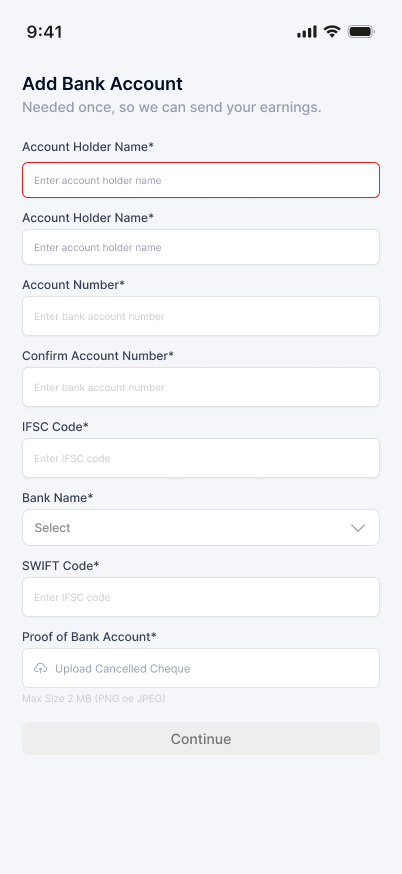
Commission and earnings screens separate the credit balance, amounts in process and recent earning records. Bank-account setup collects the payout information needed for the lawyer’s account. Sample balances and consultation amounts in the images illustrate the interface.
- Review earnings and processing status.
- Inspect consultation-linked earning records.
- Maintain the bank-account information used for payout setup.
07 / The project
Admin portal: lawyer onboarding requests
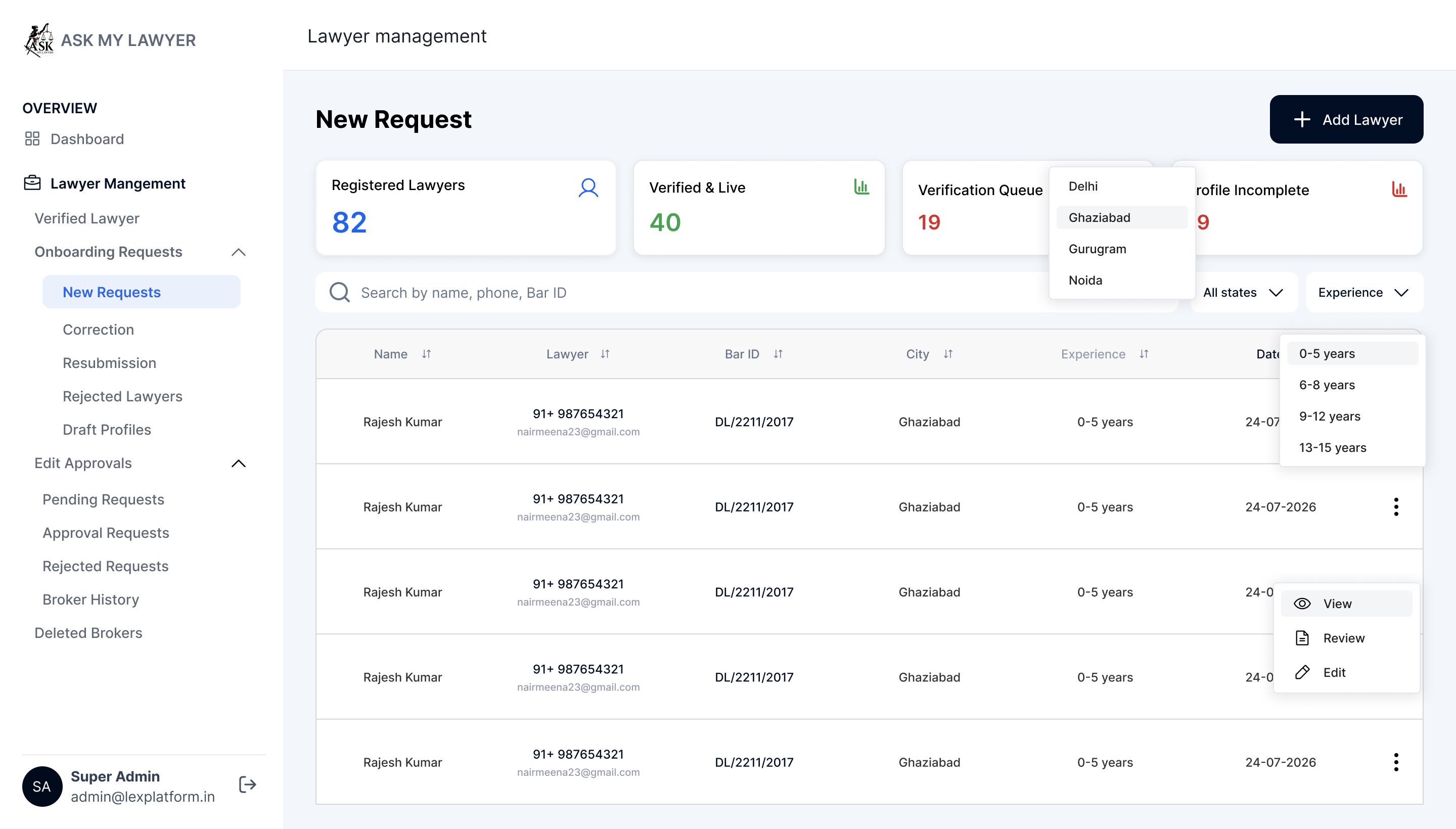
The administrative portal provides an onboarding queue with filters and request statuses. This gives operations users a central place to review incoming lawyer profiles and follow each request through the review process.
- Admin flow: open lawyer-management queue → filter requests → select a profile.
- Review submitted information and the current request status.
- Move the request through the appropriate review step.
08 / The project
Admin portal: verification and document review
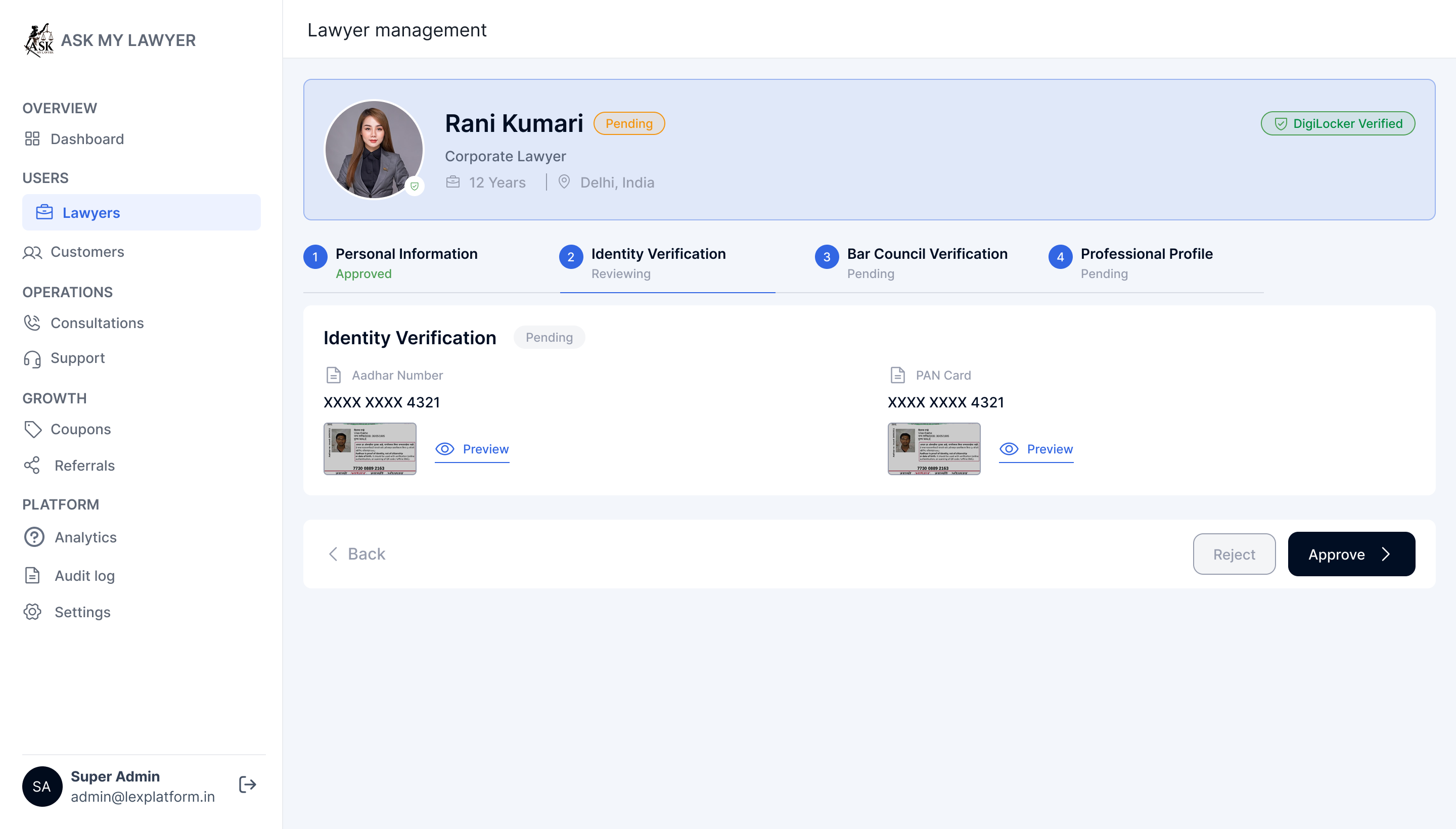
The lawyer-management interface separates personal information, identity verification, bar council verification and professional profile details. Review actions sit alongside the relevant information so an administrator can assess the submission and request corrections where required.
- Review each section of the lawyer profile.
- Inspect the submitted verification documents.
- Record a review action or request the required correction.
09 / The project
Admin portal: correction requests
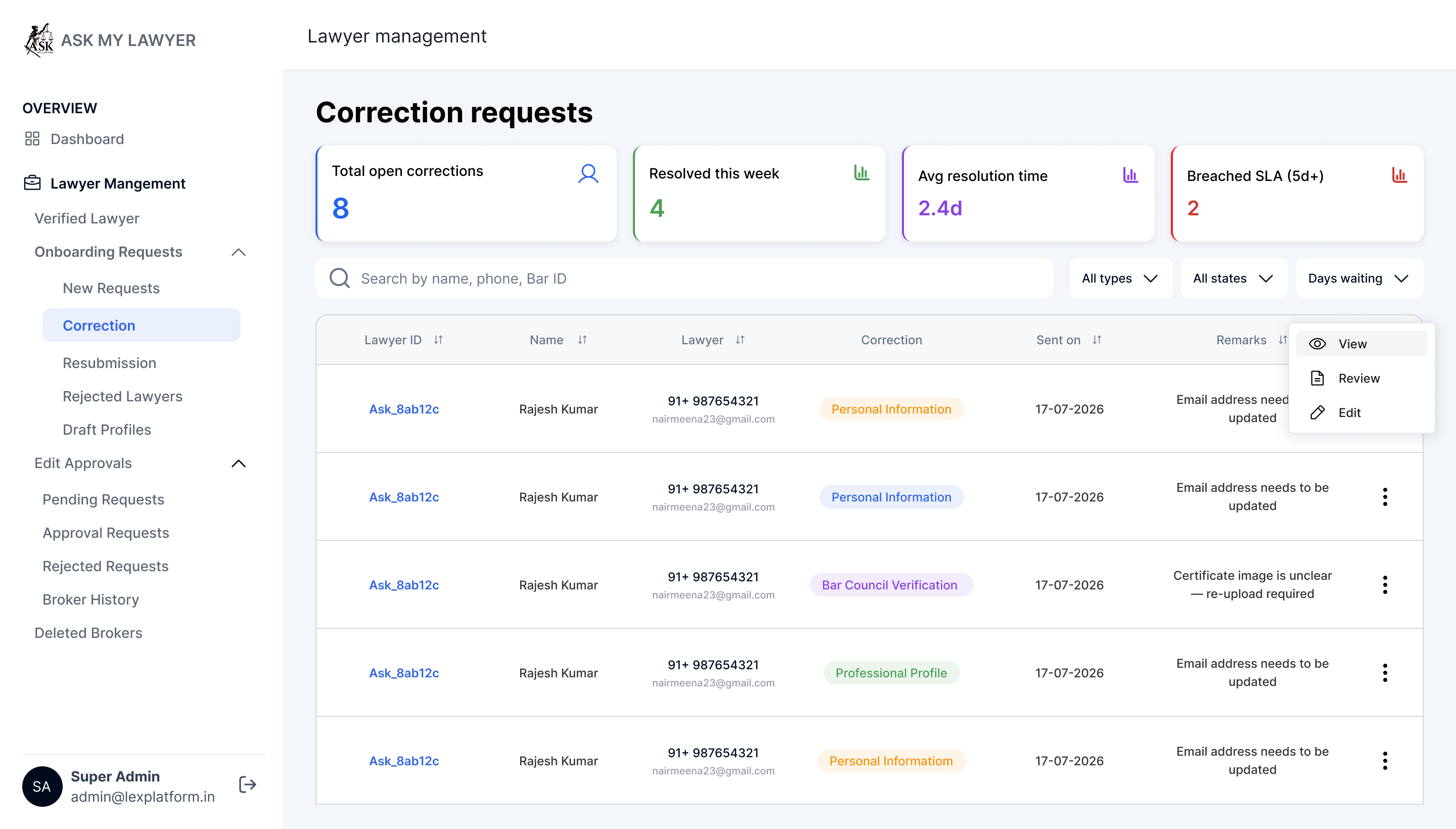
Correction requests have their own administrative queue. This keeps profiles requiring follow-up separate from completed reviews and gives operations users a place to track what needs to be corrected.
- Filter the correction queue.
- Review the request and outstanding information.
- Follow up with the relevant lawyer before completing the review.
10 / The project
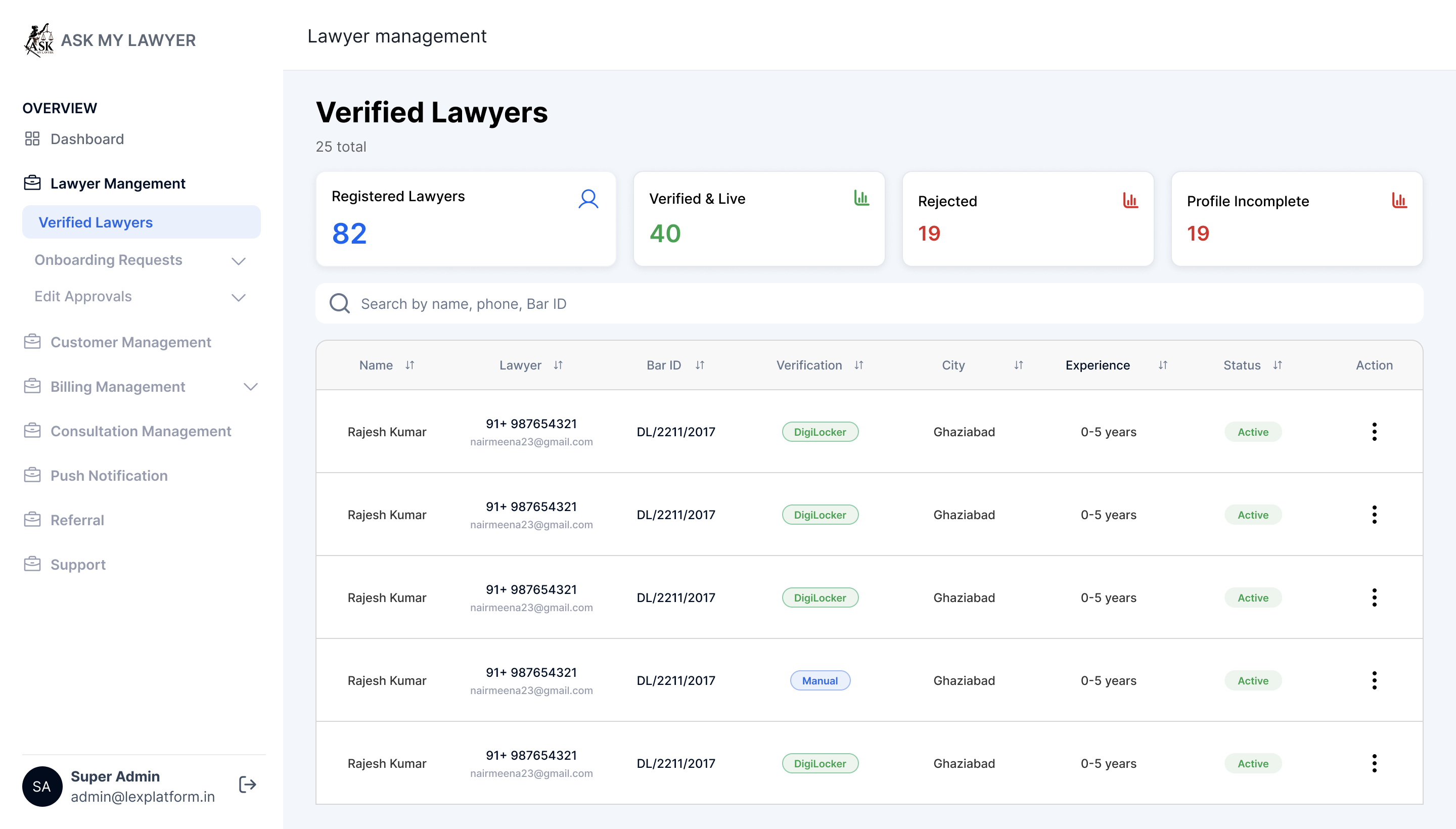
Admin portal: verified lawyer profiles
A separate verified-lawyer listing brings approved profiles into a dedicated view. Administrators can review profile information and account status after the platform review process has been completed.
- Find profiles that completed the platform review workflow.
- Review account and profile status from the verified listing.
11 / The project
Discuss a legal-consultation platform with Ackrolix
Use Enquire Now to discuss a client/lawyer marketplace, consultation scheduling, case-document workflows or administrative review tools. Share your user roles, service model and operational requirements so the team can discuss a suitable scope.
- Define client, professional and admin responsibilities.
- Scope consultation formats, scheduling and support.
- Confirm verification and payment requirements before implementation.
Questions about this project
What did Ackrolix build for Ask My Lawyer?
Ackrolix built client and lawyer app experiences with consultation setup, review and payment, lawyer matching, reports, availability and earnings, alongside an admin portal for onboarding and verification workflows.
How does the client consultation journey work?
Clients choose an immediate or scheduled consultation, provide case context, review details and payment information, follow lawyer matching and join when a lawyer is ready. The app also provides completion, report and support entry points.
What can administrators review?
The admin screens include onboarding requests, lawyer profile and document review, correction requests and a separate listing of verified lawyer profiles.
Prepared by Ackrolix Innovations from the supplied Ask My Lawyer project screens. Amounts, names and counts shown are interface examples. About the team.