01 / The client
About PG Dekho: splash, onboarding and rental home
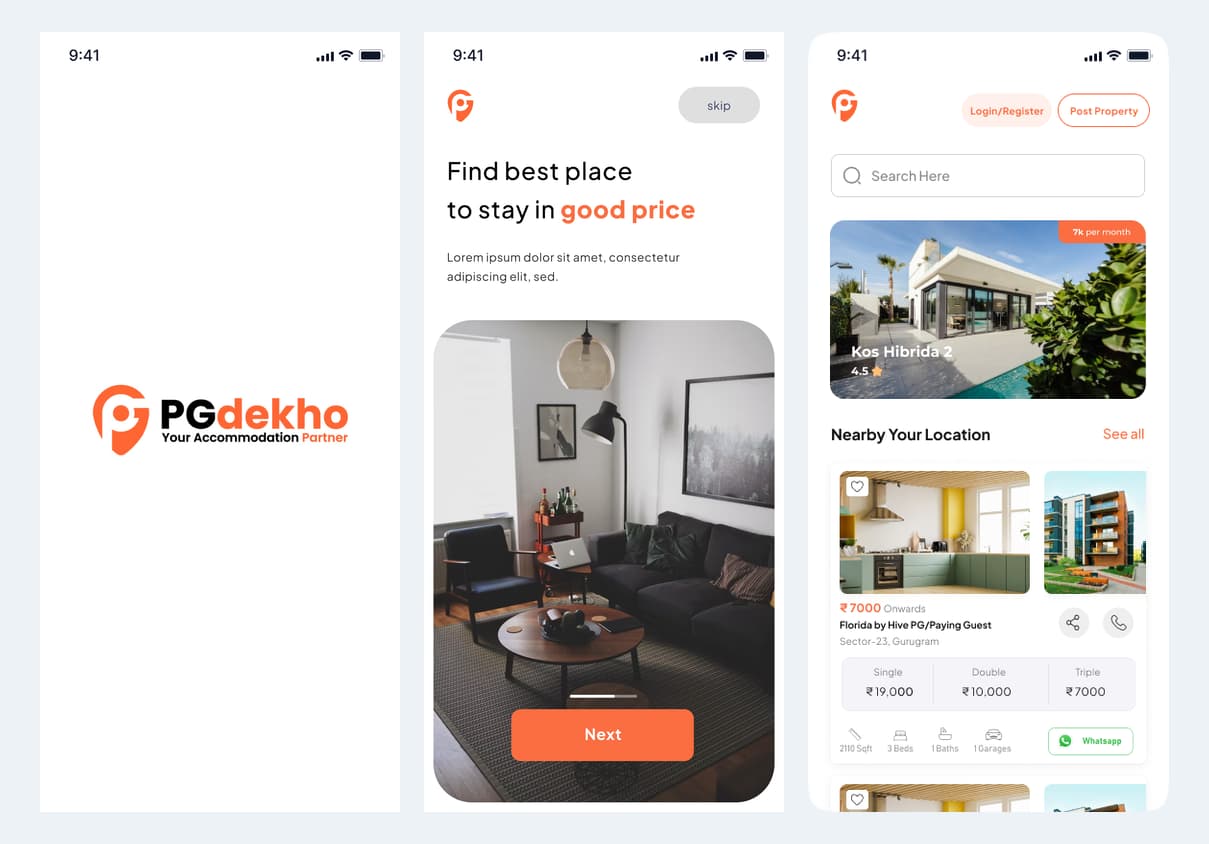
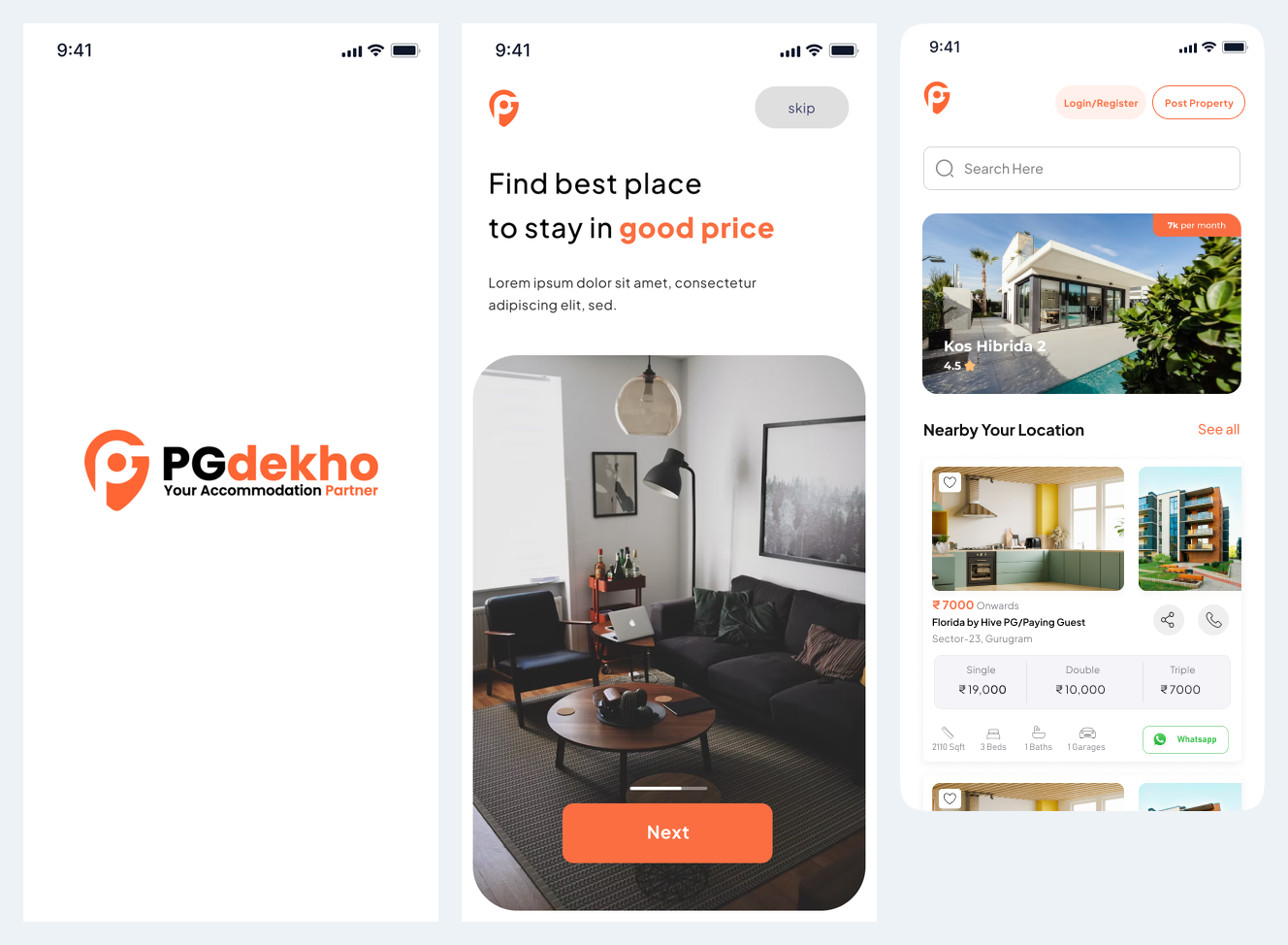
The PG Dekho experience opens with the brand splash screen, followed by an accommodation-focused onboarding screen. The rental home introduces nearby and recommended properties, giving visitors a clear starting point before they apply preferences or compare listings.
- Opening flow: splash screen → onboarding → property home.
- Begin with accommodation discovery before moving into search and enquiry.
- Industry
- Real Estate
- Services / expertise
- Mobile App · Property Search · Rental Listings
Planning a similar project? Explore our mobile app development services for real estate projects.
02 / The project
About PG Dekho: finding accommodation by preference
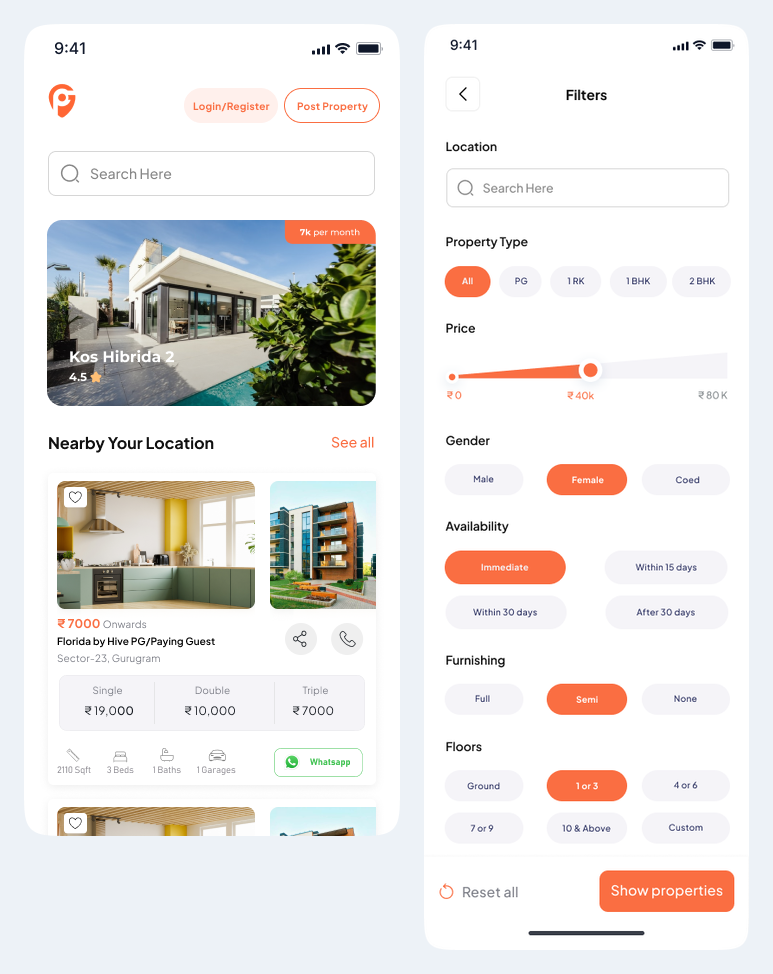
PG Dekho brings PG accommodation and rental flats into a mobile discovery experience. Its filters include location, property type, price, gender preference, availability and furnishing. These controls help people express their requirements before comparing properties.
- Renter flow: browse properties → set preferences → review matching results.
- Filter PGs, rooms and flats by relevant accommodation criteria.
03 / The project
Compare results and save a shortlist
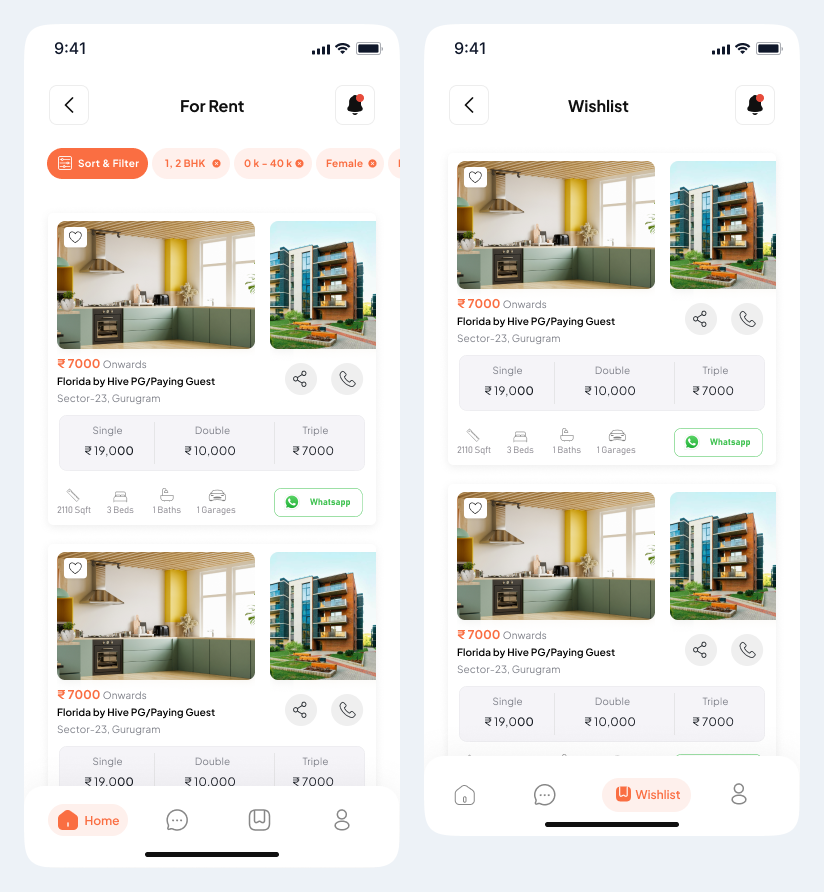
Search results and wishlist screens present property photos, indicative pricing and accommodation details. Contact and WhatsApp actions sit alongside listing information. The same card language helps a renter move from an initial search into a saved shortlist.
- Compare property cards and accommodation options.
- Save shortlisted properties for a later visit.
- Use visible contact actions to enquire about a listing.
04 / The project
Property details: facilities, location and enquiries
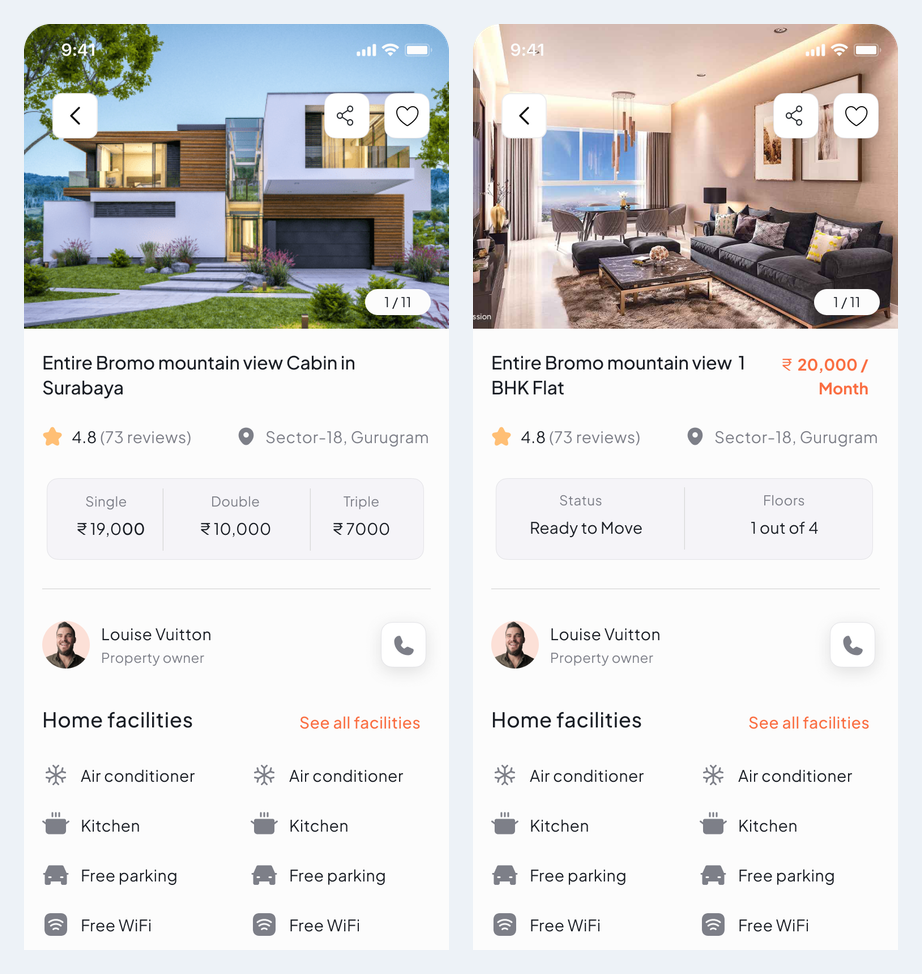
Detailed listing screens include property photographs, accommodation and facility information, location context and enquiry actions. The image excerpts below focus on the opening property information; the opening excerpts keep these long scrolling designs readable alongside each other.
- Review the property and available room or flat options.
- Check facilities and location information.
- Contact the listing representative to discuss availability.
05 / The project
Property submission for PGs and flats
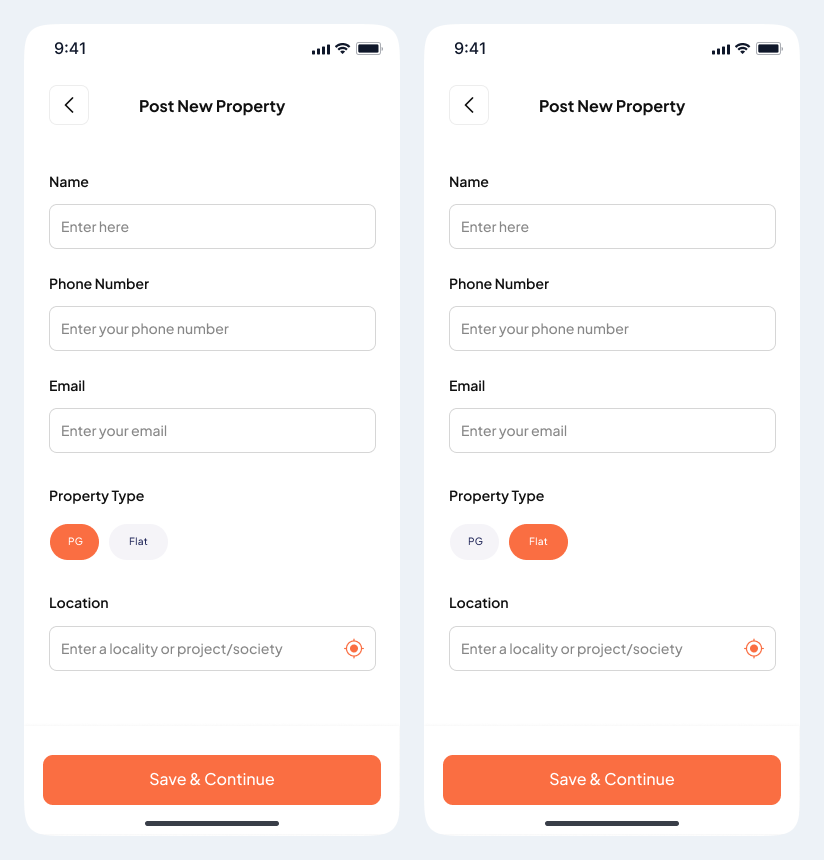
The submission forms collect a name, phone number, email, property type and location before continuing. PG and flat options support different listing intents while keeping the starting form familiar. These are submission-interface designs; publication approval rules are not shown.
- Choose PG or flat as the property type.
- Enter contact and location details.
- Continue the property-submission journey.
06 / The project
Suggested platform administration workflow
The app screens establish the user journeys described above. A separate central admin panel was not supplied. The following is a proposed supporting workflow for discussion, rather than a claim about delivered or verified admin functionality.
- Review submitted property and contact details before listing publication.
- Maintain property categories, facilities, price information and availability.
- Review reported listings and route renter enquiries to the right representative.
- Manage support requests and content updates with an audit trail.
07 / The project
Discuss a similar mobile app with Ackrolix
Share your user roles, first-release priorities and integration requirements with Ackrolix. The enquiry form is the starting point for discussing a comparable app, its operational workflows and a suitable delivery scope.
- Define the main customer and business-user journeys.
- Confirm notifications, permissions and operational ownership.
- Agree integrations and acceptance criteria before estimating delivery.
Questions about this project
What property search features are shown in the PG Dekho app?
The supplied screens show PG and flat discovery, location and preference filters, listing details, wishlists, contact actions and forms to begin posting a property.
How can I request a demo or discuss a similar app?
Use Enquire Now to reach the Ackrolix contact form and share the app workflow, user roles and integrations you want to discuss.
Prepared by Ackrolix Innovations from app designs supplied in October 2026. Screens describe interface journeys; sample amounts, names and counts are design content. No deployment metrics, technology stack or separate admin implementation is inferred. The proposed administration workflow is identified separately. About the team.