01 / The client
About Intech Konnect: opening screen and chat home
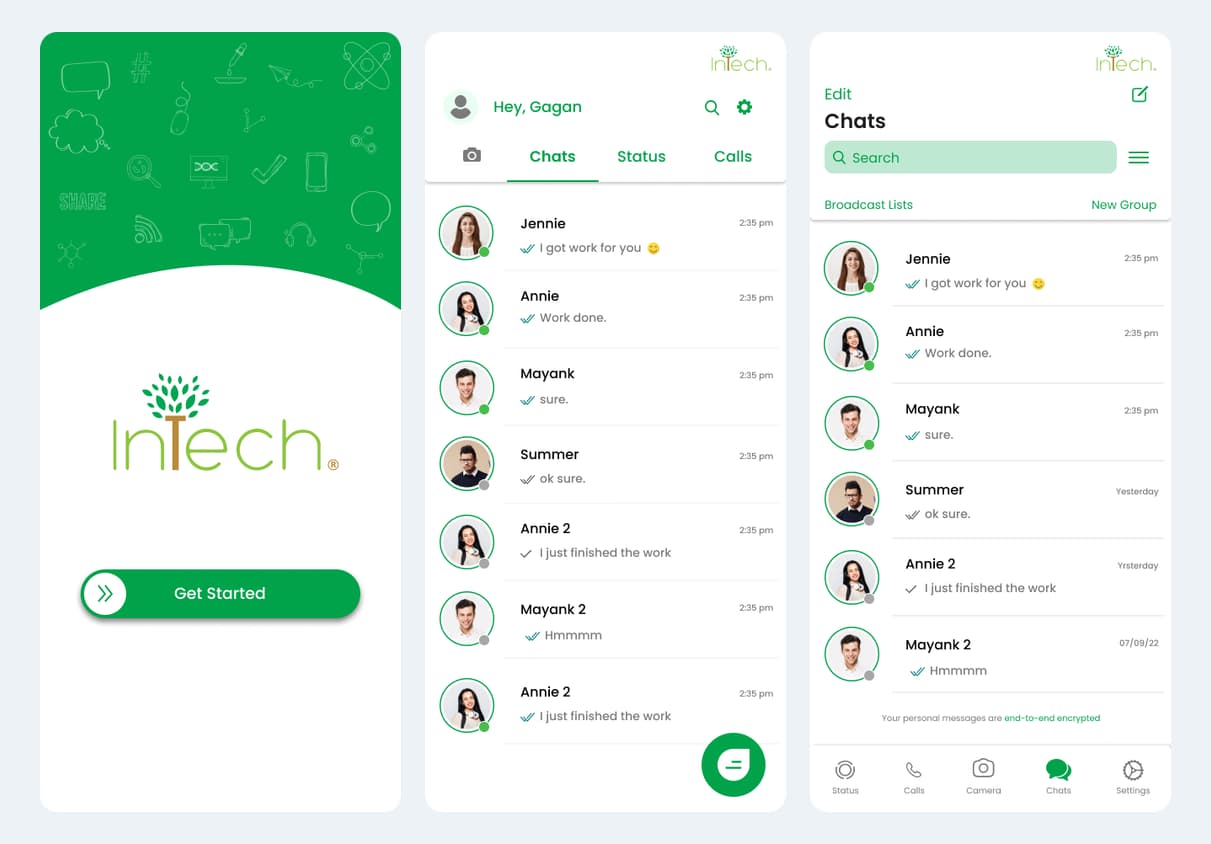
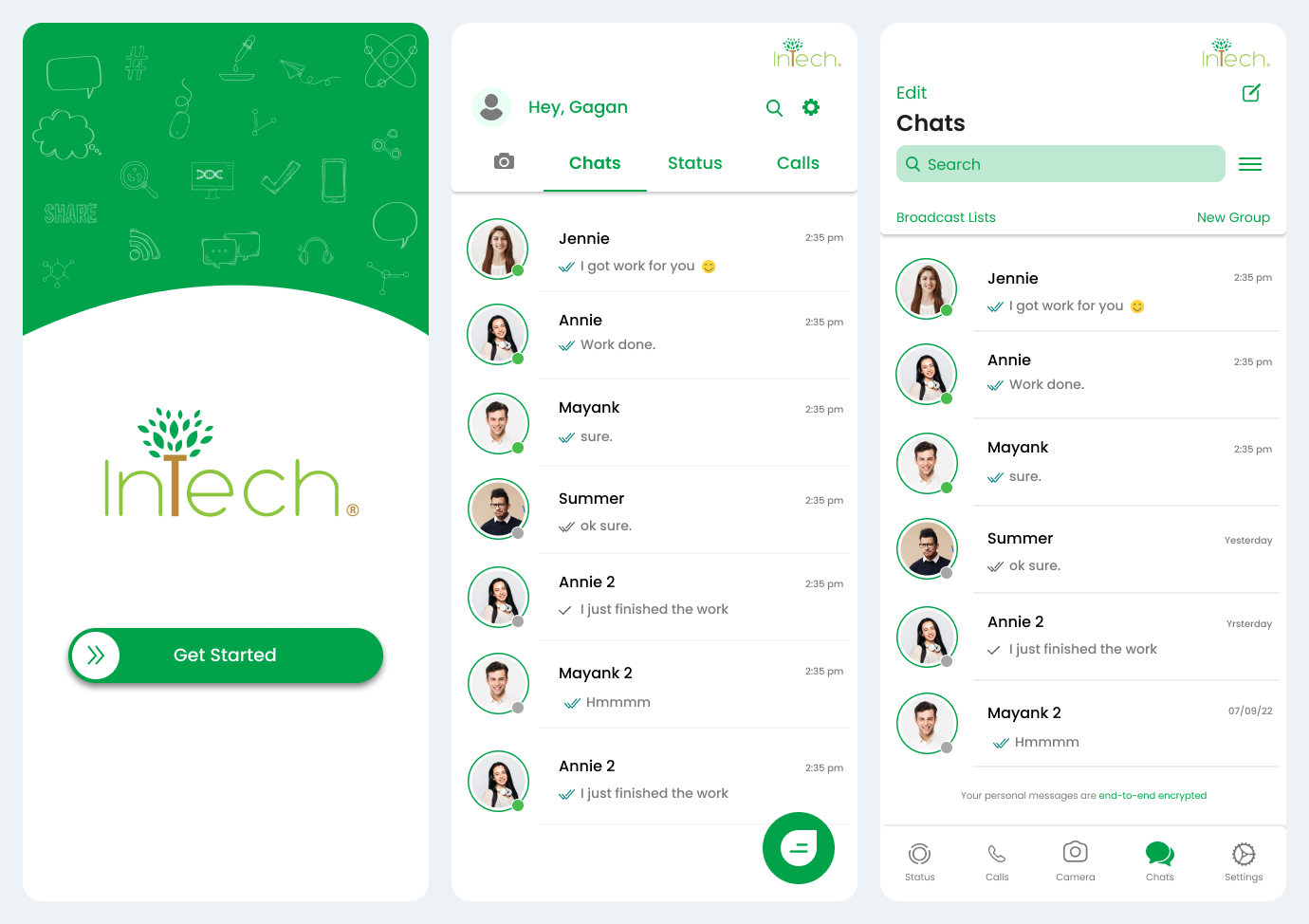
Ackrolix developed and delivered Konnect, a branded communication app for Intech Organic. The opening screen introduces the Intech identity and a Get Started action. The chat home brings recent conversations, contact names and message previews together, giving users a direct route into everyday business communication.
- Delivered by Ackrolix for Intech Organic.
- Opening journey: branded start screen → chat home → select a conversation.
- Consistent chat navigation across the supplied mobile interface variants.
- Industry
- Manufacturing
- Services / expertise
- Mobile App · Business Communication · Group Messaging
- Client website
- Visit Intech Organic (Konnect) ↗
Planning a similar project? Explore our mobile app development services.
02 / The project
Find a conversation, exchange updates and browse media
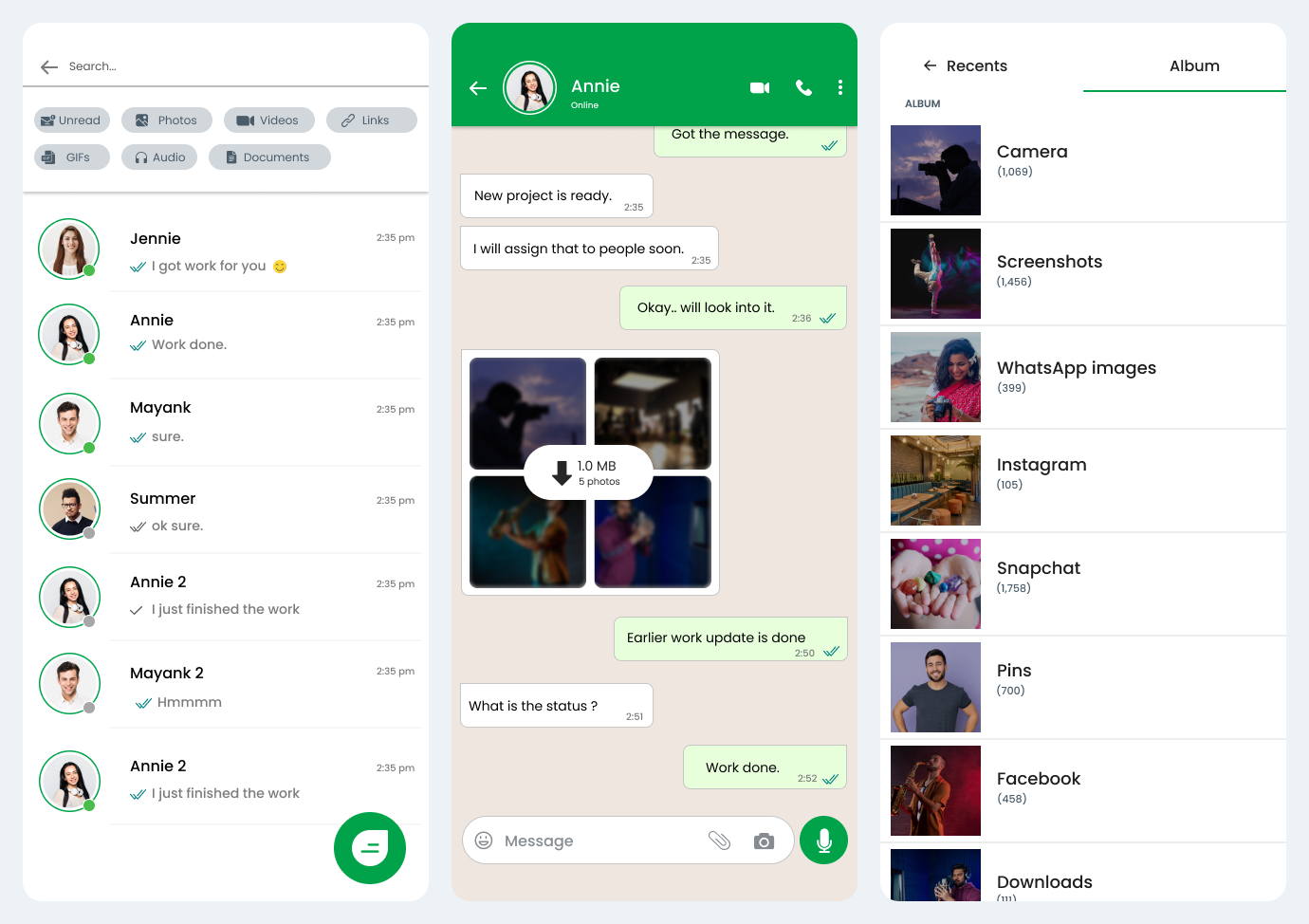
Konnect connects conversation search with day-to-day messaging and media sharing. Search filters include unread items, photos, videos, links, GIFs, audio and documents. Inside a conversation, users review text and image updates, compose a reply and browse media folders when choosing content to share.
- Search flow: open search → select a content filter → locate a conversation or item.
- Messaging flow: open a contact → review messages → compose an update or choose media.
- Media flow: open the album picker → choose a folder → select the required item.
03 / The project
Create a group and select participants
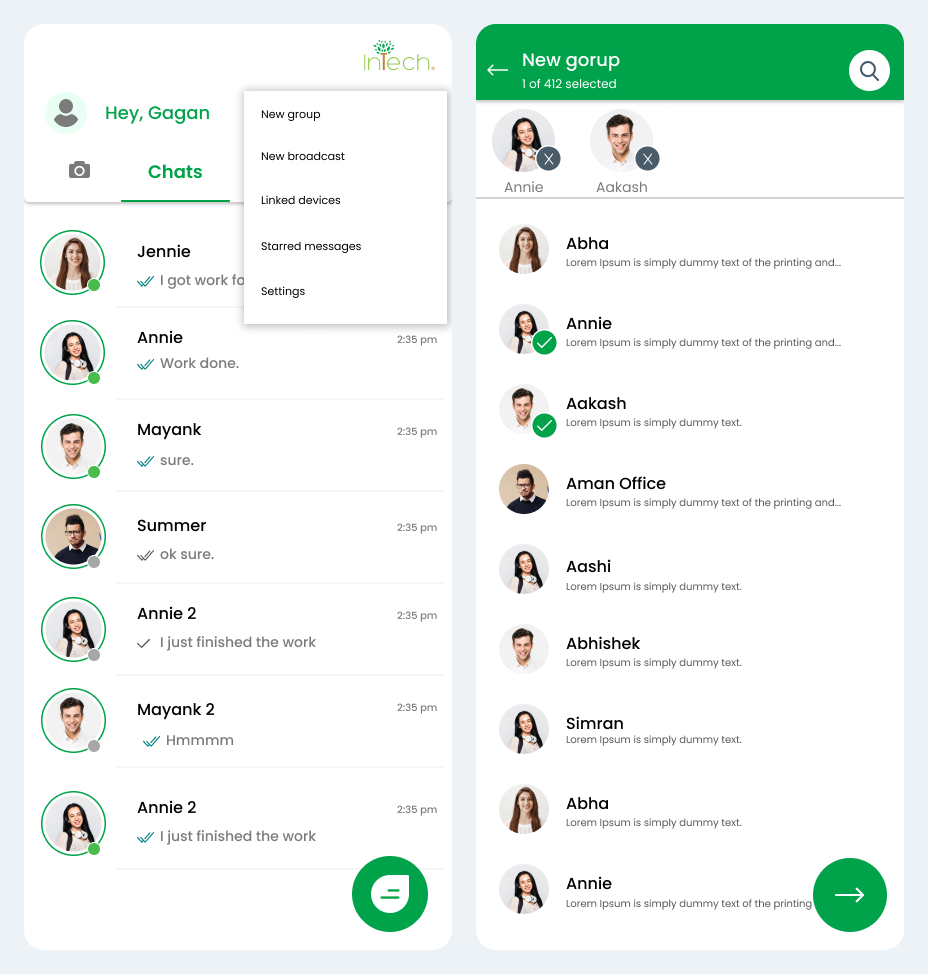
The chat menu brings New group, New broadcast, Linked devices, Starred messages and Settings into a single navigation point. Group creation starts with a searchable contact list, while selected participants remain visible above the list as users prepare to continue.
- Group flow: open the chat menu → choose New group → search and select participants → continue.
- Selected participants remain visible above the contact list.
04 / The project
Contact actions and conversation preferences
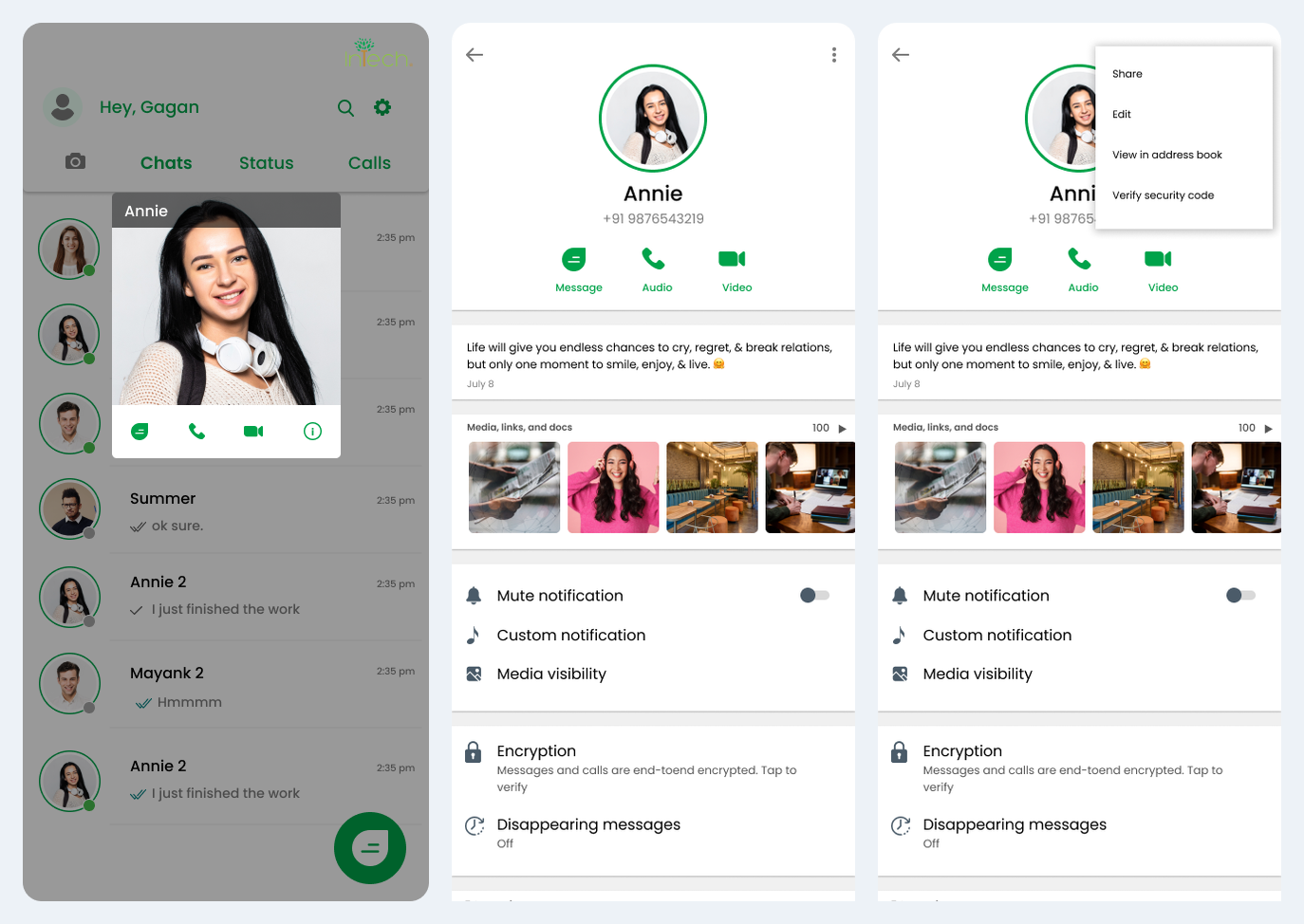
A contact preview exposes quick message, call and video actions. The contact-detail view brings shared media, notification preferences and conversation settings together, with block and report entry points further down the page. The longer contact screens are shown as readable opening excerpts.
- Open a contact preview from the chat list.
- Review the contact profile and shared media.
- Find notification and conversation controls in the contact view.
05 / The project
Manage the user profile and settings
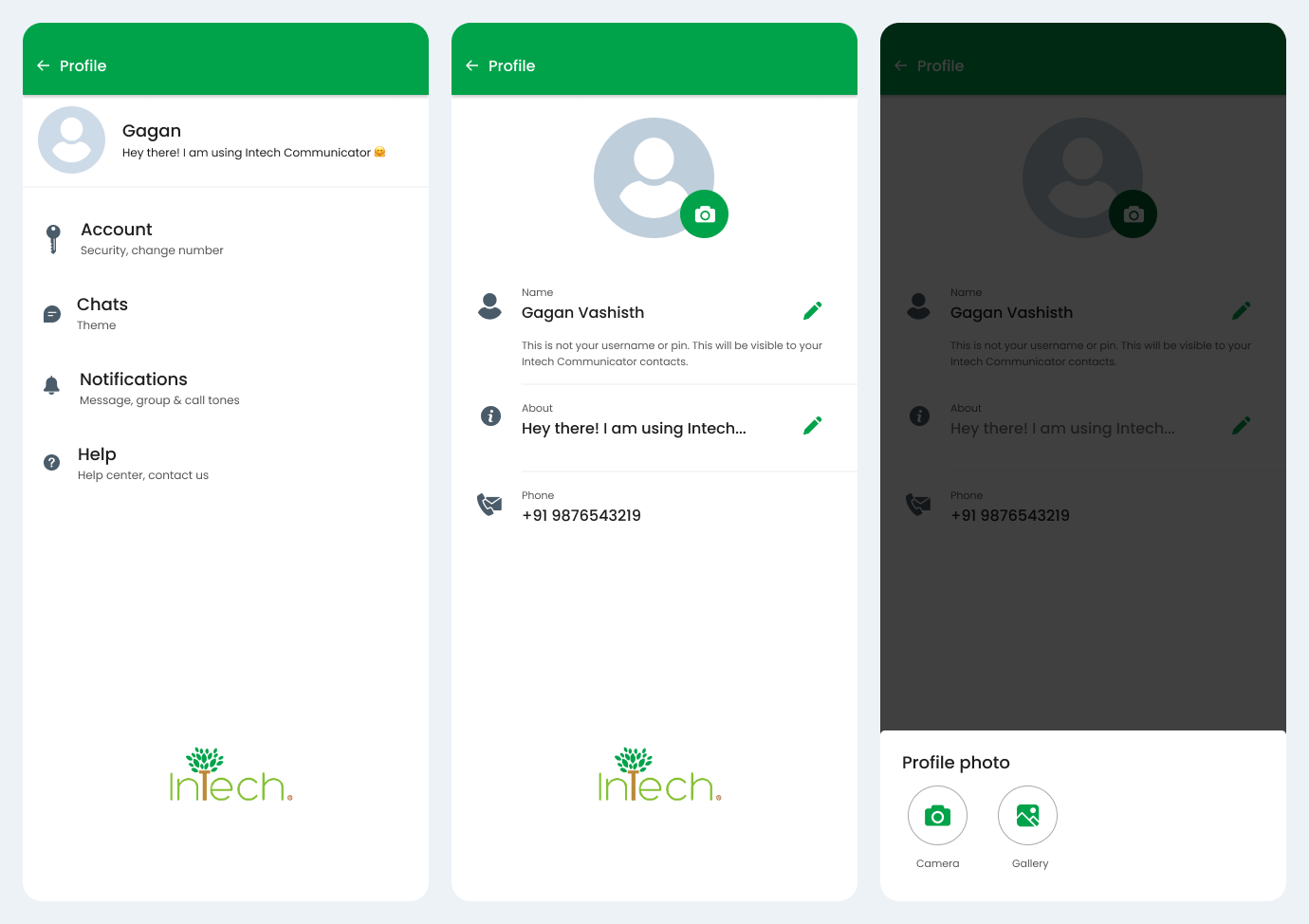
The settings area groups Account, Chats, Notifications and Help beneath the user’s profile. Profile editing includes name and about fields, with a camera/gallery chooser for the profile photograph. This keeps personal identity and communication preferences within a consistent settings journey.
- Profile flow: open Settings → review profile → edit name or about text.
- Photo flow: select the profile photograph → choose Camera or Gallery.
- Account, chat, notification and help entry points remain discoverable.
06 / The project
Chat interface variants and contact context
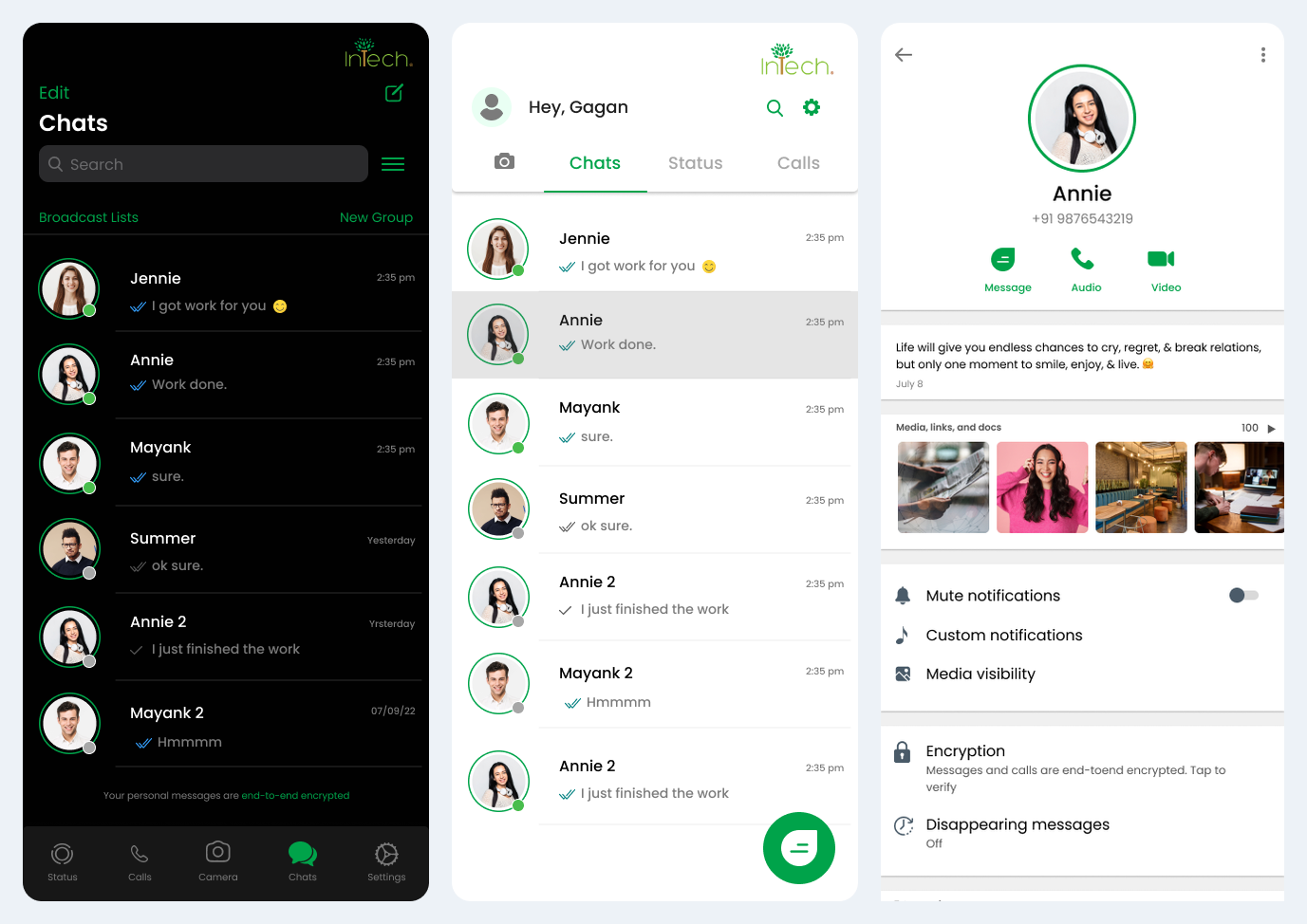
Konnect’s light and dark chat-list interfaces retain a consistent contact-led structure: a recognisable person, a message preview and recent activity. Contact details bring shared media and conversation preferences into the same experience, helping users move between a quick update and the context behind a conversation.
- Light and dark chat-list interfaces.
- Recognisable contact identity and message previews.
- Contact details with shared media and conversation preferences.
07 / The project
Administration and communication operations
User access, group ownership and support are central to operating a business communication app. The workflow below outlines these responsibilities alongside Konnect’s user-facing group, profile and reporting journeys.
- User access: review authorised users and their access responsibilities.
- Group operations: maintain group ownership and participant access rules.
- Support: review reported conversations and route issues to the responsible team.
- Operational policy: define device access, retention and escalation responsibilities.
08 / The project
Discuss a communication app with Ackrolix
Use Enquire Now to share the communication journeys, user roles and operational requirements for your project. Ackrolix can discuss the appropriate scope for messaging interfaces, group workflows and profile management.
- Define who can communicate and how groups are organised.
- Confirm notifications, attachments and access requirements.
- Agree security and administration requirements before implementation.
Questions about this project
What did Ackrolix develop for Intech Organic?
Ackrolix developed and delivered Konnect, Intech Organic’s branded communication app, with chat discovery, messaging and media flows, group participant selection, contact profiles and user settings.
How is group creation shown in the Konnect app?
Users open the chat menu, choose New group, search or browse contacts, select participants and continue. Selected members are displayed above the contact list.
How can I discuss a similar communication app?
Use Enquire Now to discuss a business communication app with Ackrolix, including user roles, messaging and media requirements, group rules and administration needs.
Case study prepared by Ackrolix Innovations from its delivered Intech Organic Konnect project and 17 supplied app screens. About the team.